Users, roles and tenant scope
Console accounts (/users), custom roles (/roles), and the tenant scope that
limits which tenants a user can see.
What it’s for
Section titled “What it’s for”Access is decided on two separate axes:
-
Role decides what a user may do. There are three built-in roles:
- viewer looks.
- operator runs the day-to-day work.
- admin configures the deployment.
Custom roles let you hand out a different set of permissions.
-
Tenant scope decides which tenants’ data a user may see. A user sees every tenant, or is restricted to some, and optionally to some verticals within each one.
A change to either applies within seconds, without the user signing in again.
Who can use it
Section titled “Who can use it”- Users is for admins only.
- Roles needs
roles:manage(admin). - Editing a user’s role or tenant scope needs
users:manage. - Nobody can grant more than they hold. You can’t give a permission or base role you don’t have, edit a role above your own, or change your own role.
What you can do
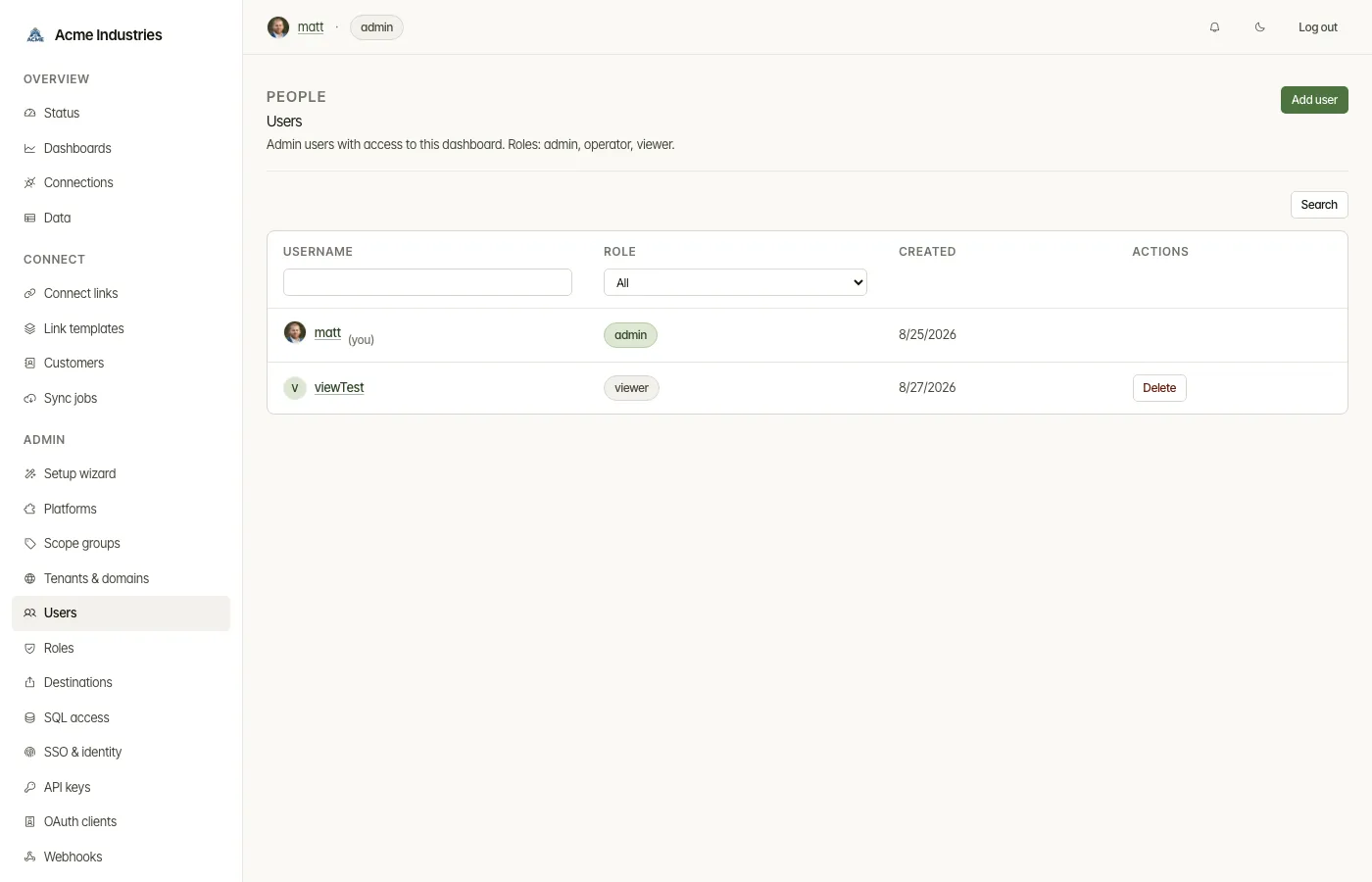
Section titled “What you can do”On the Users page:
- Search the users list. Add a user with a username, an optional email, a password and a role.
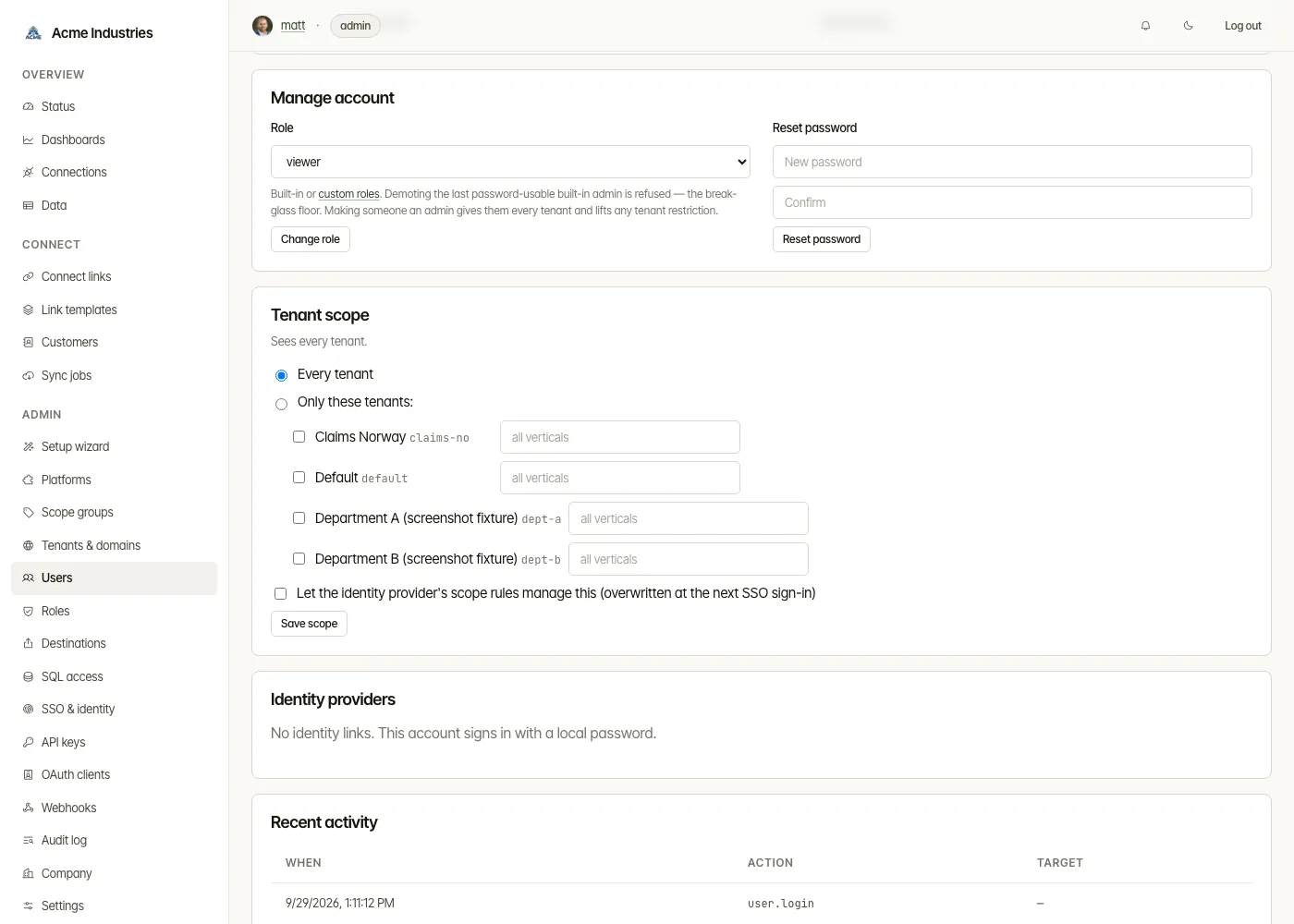
- On a user’s page:
- Profile. Set their email and upload or remove their picture.
- Manage account. Change their role (built-in or custom) and reset their password.
- Tenant scope. See and edit which tenants they see (see below).
- Identity providers. See the SSO accounts linked to them and whether each is just-in-time or SCIM-managed. The subject each provider knows them by is hidden until you press Reveal, which is audited.
- Recent activity. Their last audit-log entries.
- Delete a user from the list.
The console refuses to demote the last built-in admin who can sign in with a password. That account is the break-glass floor.
Tenant scope
Section titled “Tenant scope”On a user’s page, choose Every tenant or Only these tenants. Then tick tenants, and optionally list the verticals allowed for each one. Leave the verticals empty to allow them all.
- Let the identity provider’s scope rules manage this. With this ticked, the user’s scope is overwritten at each SSO sign-in by the rules on the identity provider.
- What a restricted user sees. Only their tenants’ connections, sync jobs, records, exports and dashboard numbers. They get a scoped badge in the header.
- What a restricted user can’t do. Pages that aren’t tenant-scoped yet refuse them, as do deployment-wide changes such as platform configuration and scope groups.
- Admins always see every tenant. Making someone an admin lifts any restriction. To limit someone, give them a non-admin role first.
- Per-tenant administration is API-only today. A custom role on an
operator base with
users:manage, restricted to some tenants, can change the role and tenant scope of users through admin-api (PUT /api/users/:id/roleand/scope) when it knows their ids. The console’s Users pages, and listing users, need the admin role.
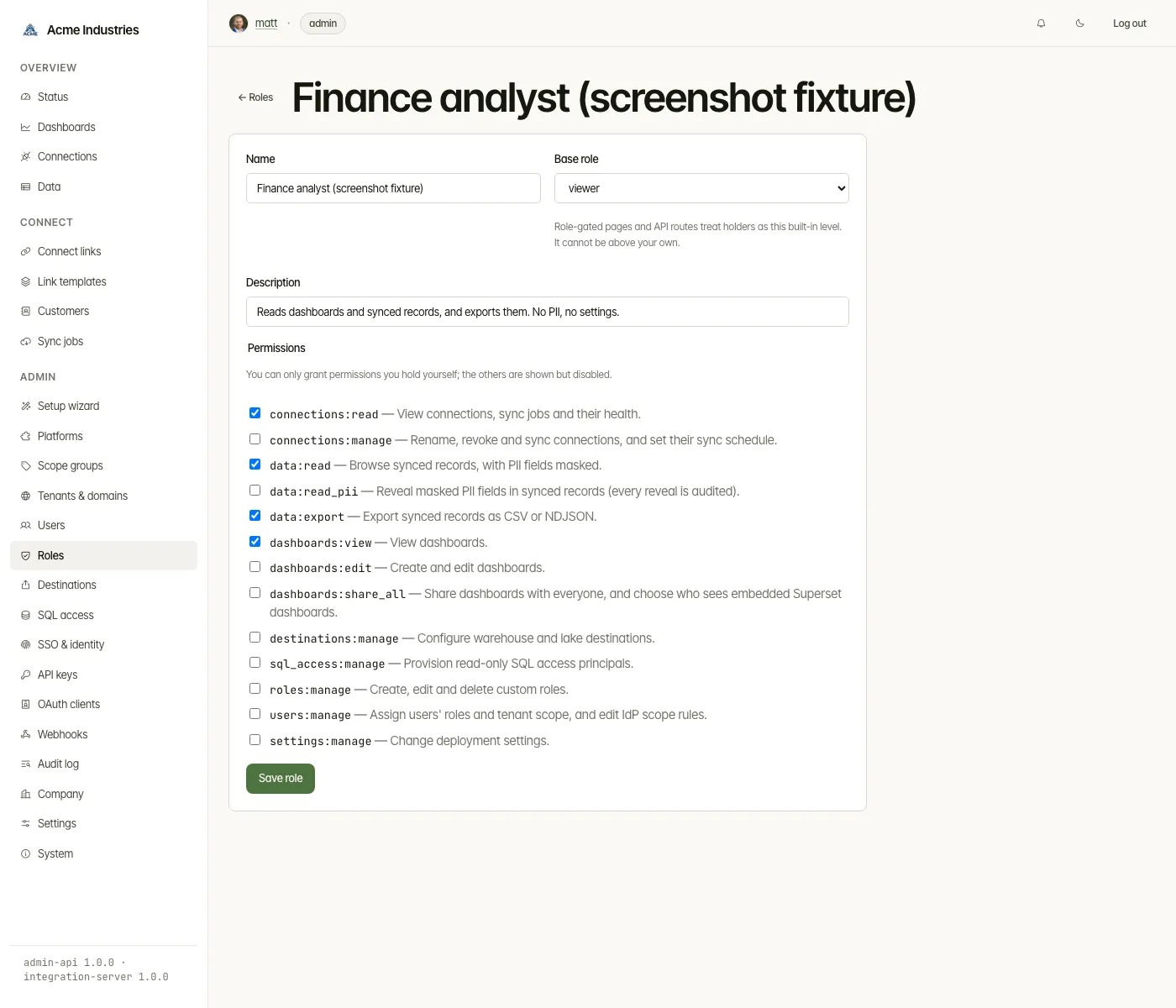
The Roles page lists the built-in and custom roles, with the permission catalog underneath.
- Built-in roles are defined in code. You can’t change them.
- New role. Give it a name, a base role and a description, and tick
its permissions.
- The base role (viewer, operator or admin) decides the pages and routes that check a role rather than a permission. It can’t be above your own.
- Permissions you don’t hold are shown but disabled.
- Deleting a role. A role in use can’t be deleted. That includes a role assigned to a user or named by an identity provider’s role-mapping rule.
The permissions:
| Permission | Allows | Built-in roles |
|---|---|---|
connections:read |
View connections, sync jobs and their health. | viewer, operator, admin |
connections:manage |
Rename, revoke and sync connections, and set their sync schedule. | operator, admin |
data:read |
Browse synced records, with personal data masked. | operator, admin |
data:read_pii |
Reveal masked personal data (every reveal is audited). | admin |
data:export |
Export synced records as CSV or NDJSON. | operator, admin |
dashboards:view |
View dashboards. | viewer, operator, admin |
dashboards:edit |
Create and edit dashboards. | operator, admin |
dashboards:share_all |
Share dashboards with everyone, and choose who sees embedded Superset dashboards. | admin |
destinations:manage |
Configure warehouse and lake destinations. | admin |
sql_access:manage |
Provision read-only SQL access logins. | admin |
roles:manage |
Create, edit and delete custom roles. | admin |
users:manage |
Assign users’ roles and tenant scope, and edit IdP scope rules. | admin |
settings:manage |
Change deployment settings. | admin |
Related docs
Section titled “Related docs”- Architecture: permissions, roles and tenant scope: what each permission unlocks, escalation guards and caching.
- Architecture: auth and tenancy, admin roles.
- SSO & identity: role and scope mapping from IdP groups.
opensteward.dev ·Plans and free license ·Terms ·Privacy ·support@opensteward.dev
© 2026 Falco Consulting AB. Built from open-steward/opensteward@a3961d8. This site sets no cookies, runs no analytics and loads nothing from other sites, except platform logos from Brandfetch on the Platforms page.