Connect links and templates
Tokenised links you send to a customer so they can authorize a platform in
their own browser. The pages are /connect-links and
/connect-link-templates.
What it’s for
Section titled “What it’s for”A Connect Link is the way to get a customer’s data when you’re outside a product flow.
- You create a link and email it.
- The customer opens it and signs in to their platform. The page is branded with your company details.
- A connection appears under the tenant you chose.
Link templates save the form’s settings, so links you send often take one click.
Who can use it
Section titled “Who can use it”- Every signed-in user can see the link and template lists.
- Operators and admins can create and revoke links, and create, edit and delete templates.
- Tenant-restricted users are refused on these pages, which aren’t tenant-scoped yet.
What you can do
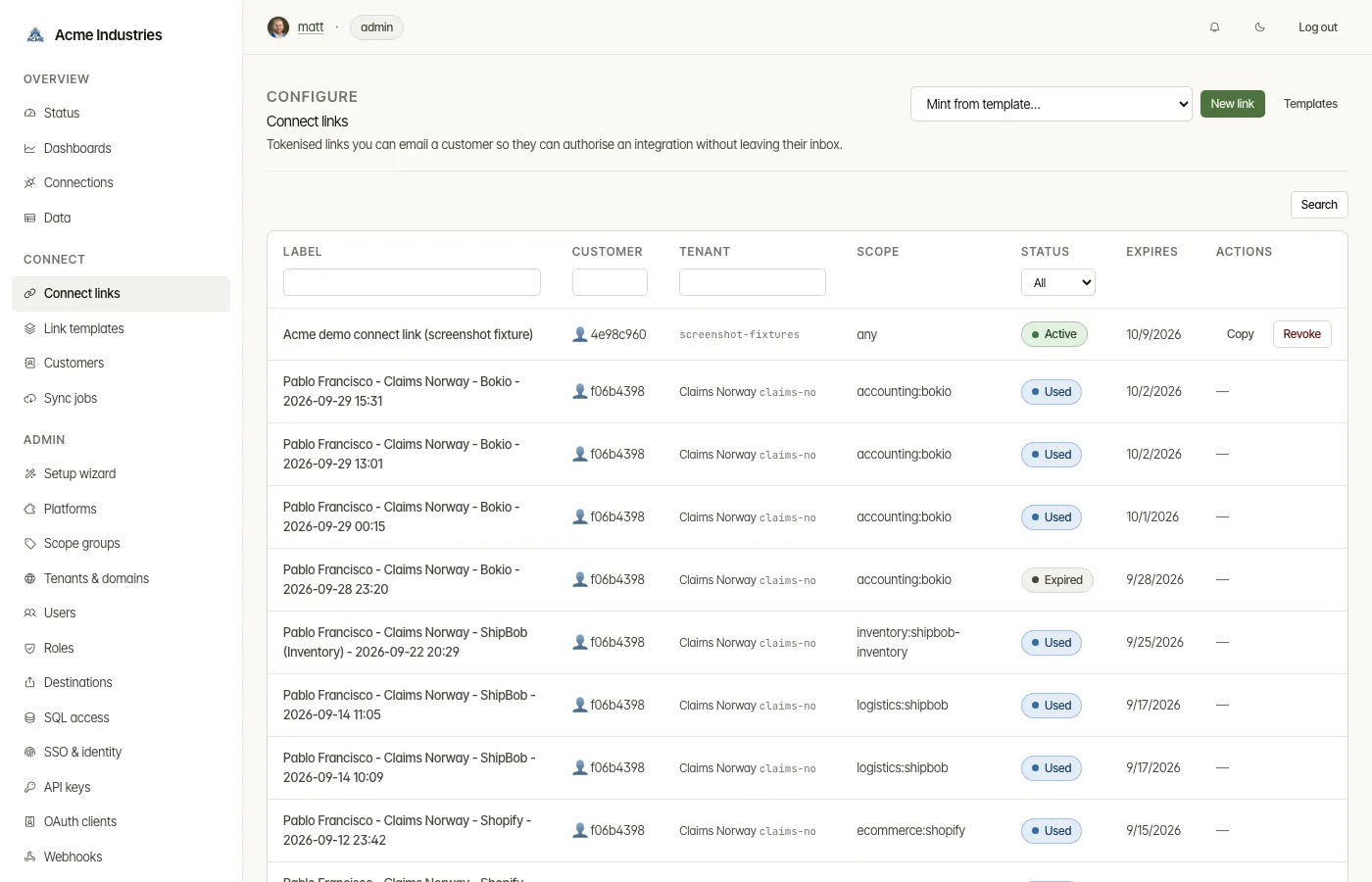
Section titled “What you can do”On the links list:
- Filter by label, customer, tenant or status (Active, Used, Expired). Sort by any column, including the allowed platforms and the expiry date.
- Copy an active link’s URL, or Revoke it (operator).
- Start from a template with Mint from template…, or press New link.
- If the deployment has no public URL, a banner says what to set: Company →
Base URL, or
PUBLIC_BASE_URLon integration-server. Without one, a link has no address a customer can reach.
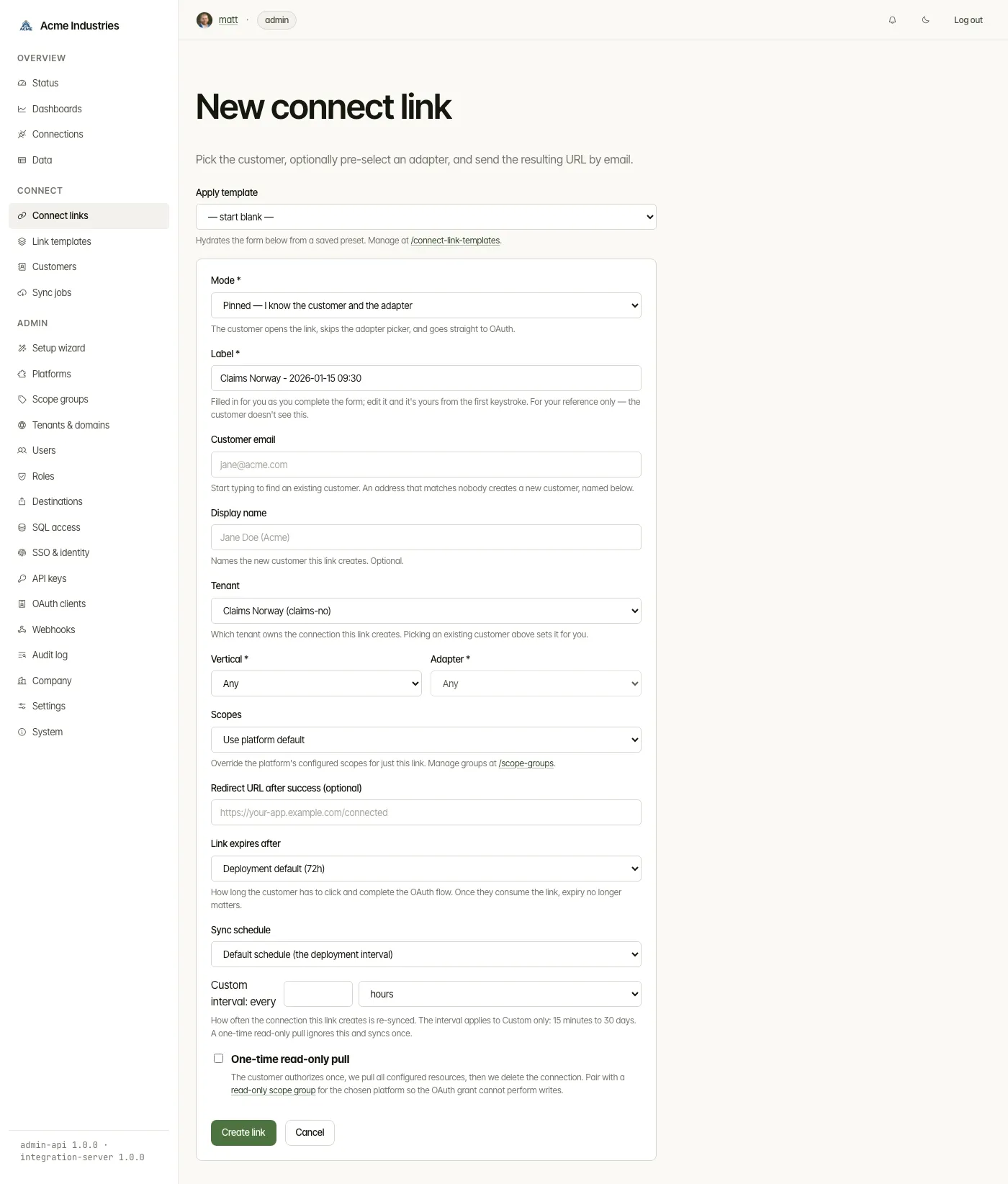
On the new-link form:
-
Mode.
- Pinned: you know the customer and the adapter. The customer goes straight to the platform’s sign-in.
- Customer picks adapter: the customer chooses from the allowed adapters.
- Self-register: the customer types their own email on the connect page.
-
Label. Filled in for you as you complete the form, and only you see it.
-
Customer email. Start typing to pick an existing customer. A new address creates a customer, named by Display name.
-
Tenant. The tenant that owns the resulting connection. It comes from the customer when there is one; otherwise you choose it.
-
Vertical and Adapter. Both are required in pinned mode.
-
Scopes.
- Use platform default is the default. It asks for the scopes configured on the platform’s OAuth app.
- Read-only asks for only the platform’s read scopes, where they are catalogued.
- A scope group asks for exactly its scopes. Scope groups are offered in pinned mode only.
-
Redirect URL after success, optional.
-
Link expires after. The deployment default, or 1, 3, 7, 14 or 30 days.
-
Sync schedule. How often the new connection is re-synced:
- the default schedule;
- a custom interval from 15 minutes to 30 days;
- trigger only;
- one-time.
You can change it later on the connection’s page.
-
One-time read-only pull. The customer authorizes once, every configured resource is pulled, and then the connection is deleted. A
connect_link.disposedwebhook event fires. Pair it with a read-only scope group.
After Create link, a banner shows the URL with a Copy button. Treat the URL like a password: anyone who has it can use the link until it is used, expires or is revoked.
Link templates
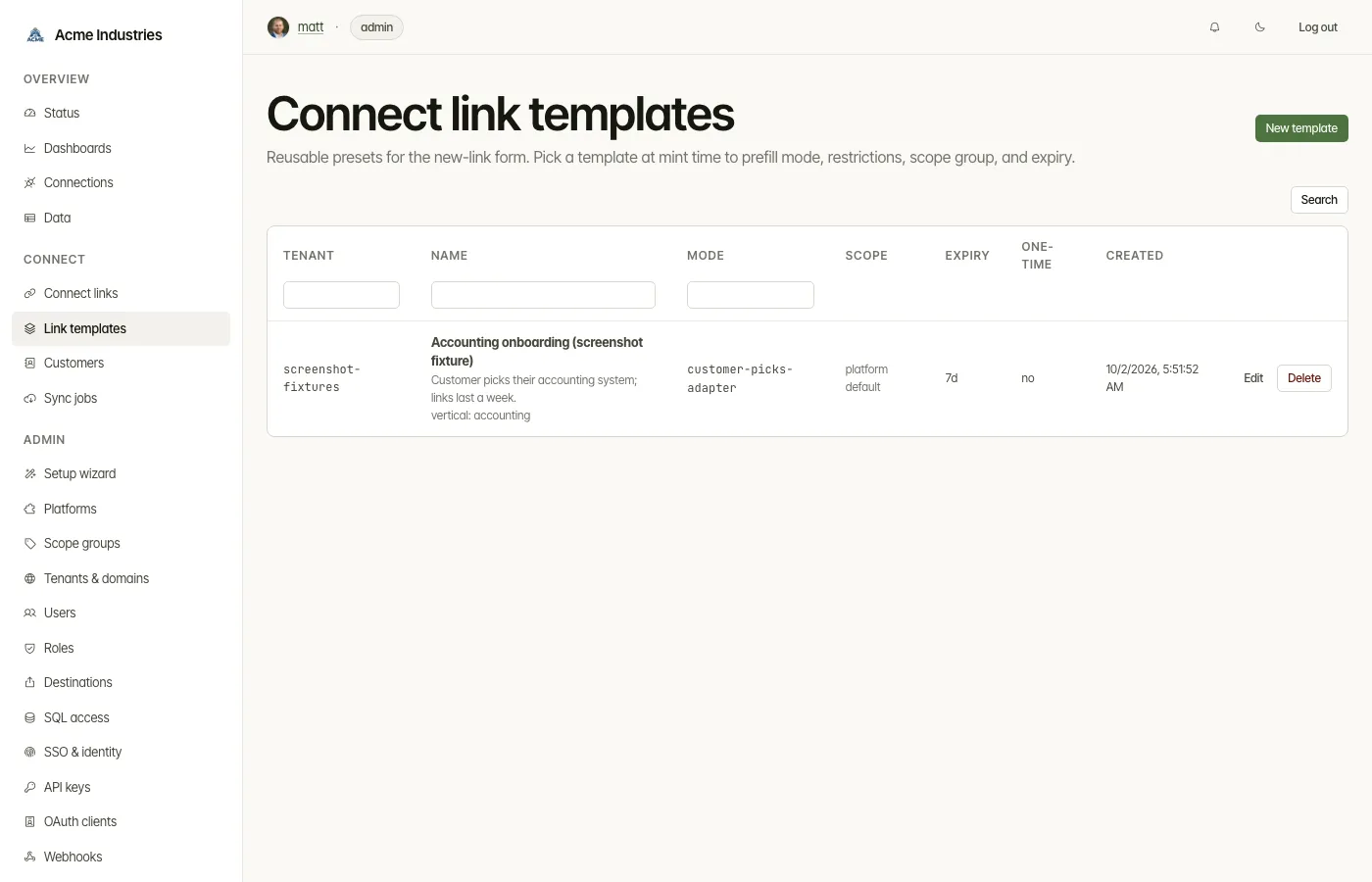
Section titled “Link templates”A template is a saved preset for the new-link form. It holds:
- a name and description;
- the tenant;
- the mode;
- the vertical and adapter;
- a scope group;
- the default expiry (1, 3, 7, 14 or 30 days);
- a redirect URL;
- the one-time read-only setting.
Pick one under Apply template on the new-link form, or under Mint from template… on the list. A template doesn’t carry a sync schedule; you set that on each link.
Related docs
Section titled “Related docs”- Architecture: Connect Links: modes, the flow, scope policy and adapter coverage. Links minted through the developer API stay read-only by default, while the console form defaults to the platform’s scopes.
- Custom domain + TLS: give links a branded host.
- Customers: who the links are for.
- Developer Guide §5: Connect Link: minting links from your app.
opensteward.dev ·Plans and free license ·Terms ·Privacy ·support@opensteward.dev
© 2026 Falco Consulting AB. Built from open-steward/opensteward@a3961d8. This site sets no cookies, runs no analytics and loads nothing from other sites, except platform logos from Brandfetch on the Platforms page.