Destinations
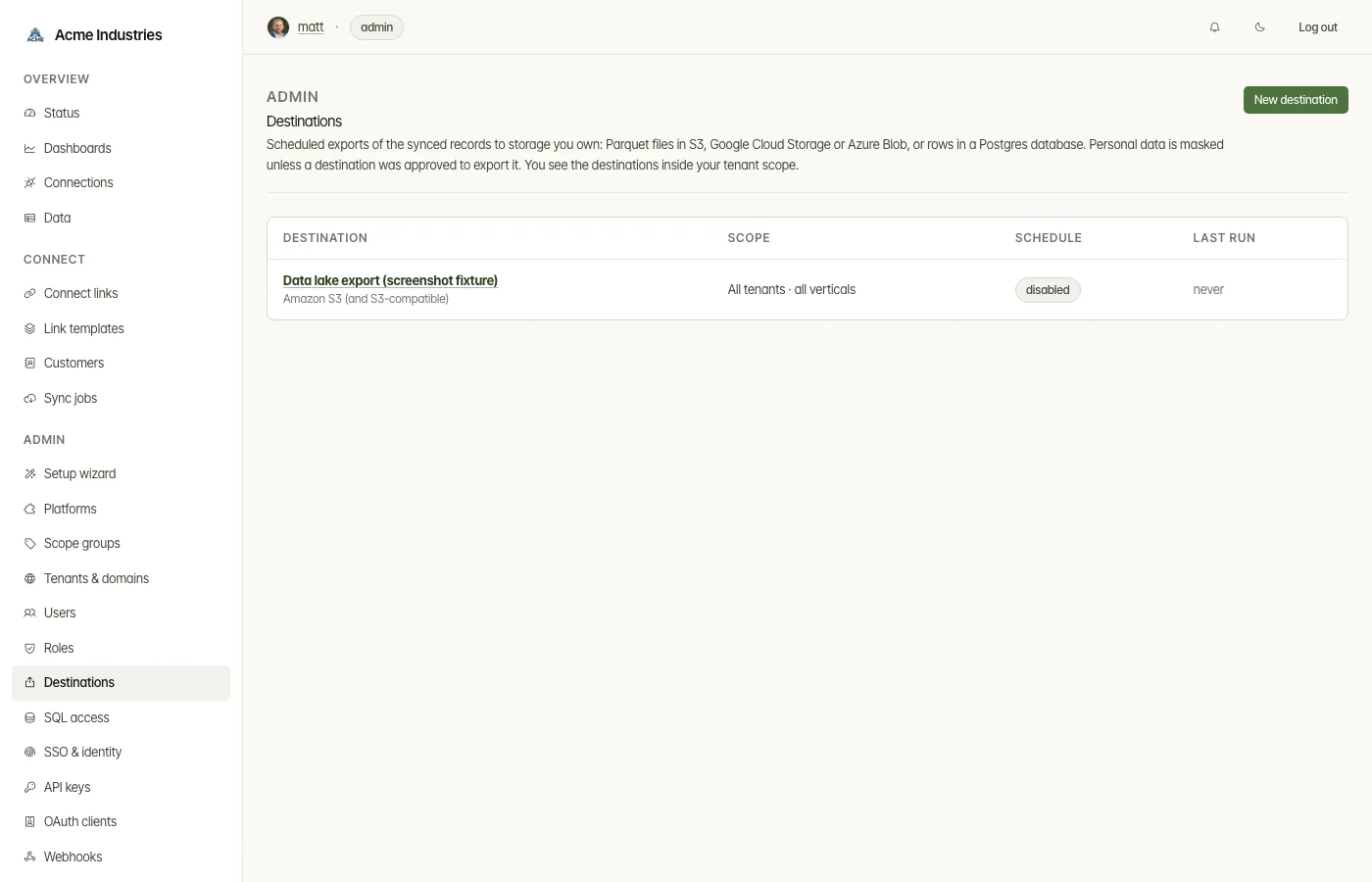
Scheduled exports of synced records to storage you own, at /destinations.
What it’s for
Section titled “What it’s for”A destination copies the data store’s records to your lake or warehouse on a schedule, so your analysts can use their own tools. Exports are masked the way the data viewer masks them, unless an approver allows personal data. Incremental runs send only what changed, and deletions are exported as tombstones.
There are eight types:
- Amazon S3 (and S3-compatible), Google Cloud Storage and Azure Blob Storage, which receive Parquet files;
- PostgreSQL, which receives rows;
- Snowflake, Google BigQuery and Databricks (Delta), which are loaded warehouse-side;
- Apache Iceberg (REST catalog), which is marked experimental.
Who can use it
Section titled “Who can use it”- You need
destinations:manage(admins by default). - You see and change only destinations whose tenants are inside your own scope.
- Export personal data unmasked also needs
data:read_pii. You are then recorded as the approver. - In
passthroughmode nothing is stored, so there is nothing to export and the page says so.
What you can do
Section titled “What you can do”- List destinations. Each row shows its scope, its schedule (or disabled) and its last run.
- Create a destination. Pick a type and fill in a form generated from the
type catalog:
- a name and Run every (minutes), from 1 minute to 7 days;
- the type’s settings;
- its credentials. These are stored encrypted, are write-only, and are never shown again.
- What to export: tenants (or every tenant, if you may grant it) and verticals. With no vertical ticked, every vertical is exported.
- Optionally mask financial fields too, or export personal data
unmasked (with
data:read_pii). Exported files can’t be retracted. - Whether it should run on schedule.
- Work with a destination on its page:
- Test connection and Run now.
- Change the name and schedule.
- Backfill everything, one vertical, or one resource type.
- Replace credentials, or delete the destination.
- Read the Run history: start time, trigger, status, rows, deletes, files and duration.
Backfill, replacing credentials and delete ask for confirmation. Every change is audited, and credential values never reach the audit log.
Related docs
Section titled “Related docs”- Destinations guide: file layout, columns, loaders, tombstones, PII, per-type configuration, and a MinIO and DuckDB walkthrough.
- Data and SQL access: the other ways to take data out.
- Security: data classification and masking.
opensteward.dev ·Plans and free license ·Terms ·Privacy ·support@opensteward.dev
© 2026 Falco Consulting AB. Built from open-steward/opensteward@a3961d8. This site sets no cookies, runs no analytics and loads nothing from other sites, except platform logos from Brandfetch on the Platforms page.