API keys, OAuth clients and webhooks
These pages manage how your applications authenticate to the developer API,
and where OpenSteward sends events. The pages are /api-keys,
/oauth-clients and /webhooks.
What it’s for
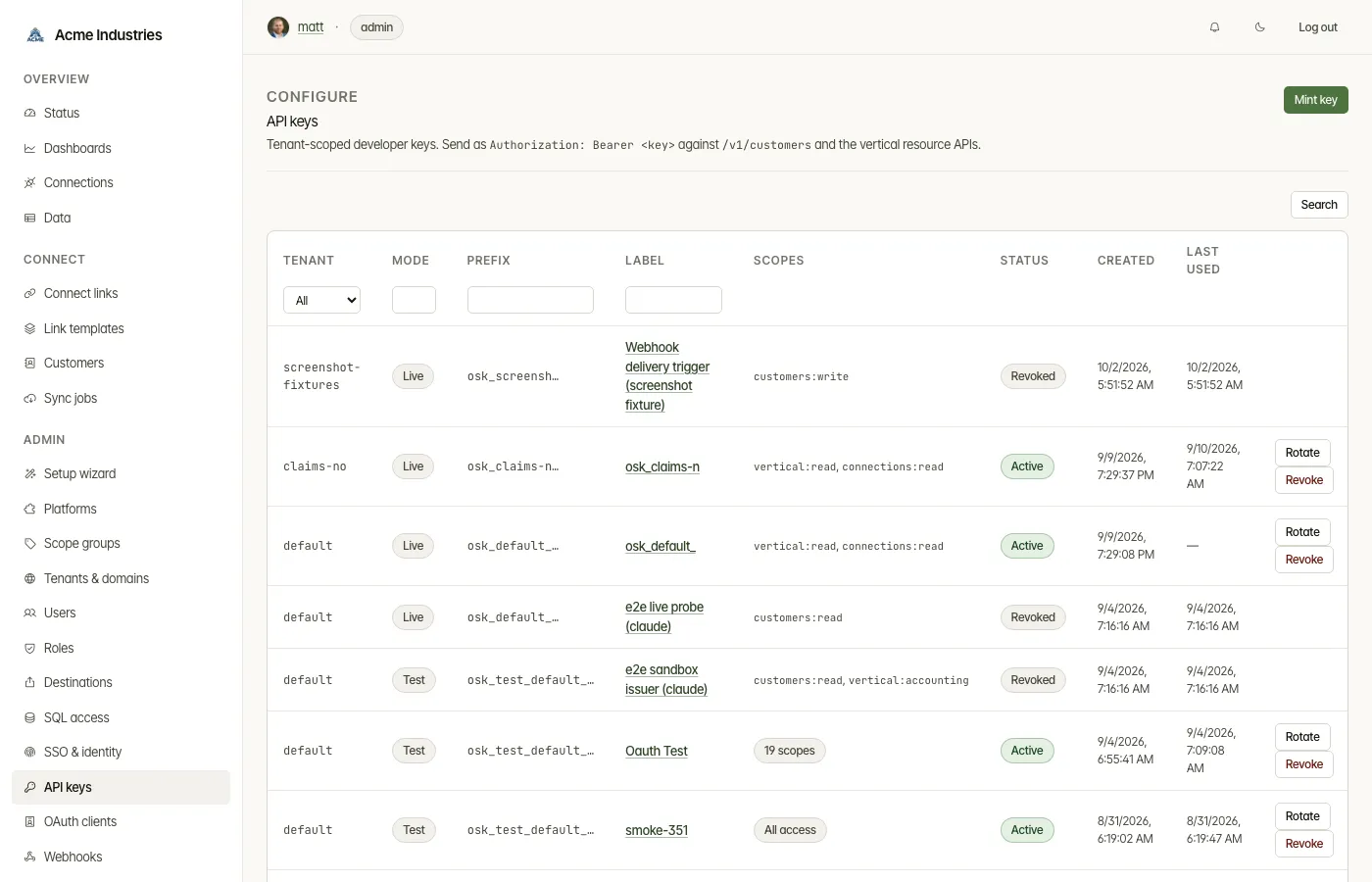
Section titled “What it’s for”- API keys are tenant-scoped
osk_…bearer keys. A key can manage customers, create Connect Links, call every/v1/{vertical}/*resource, and manage webhook subscriptions, depending on its scopes. - OAuth clients let the developer API accept OIDC tokens from your own identity provider instead of API keys. OpenSteward only verifies those tokens. It never mints them and holds no client secret.
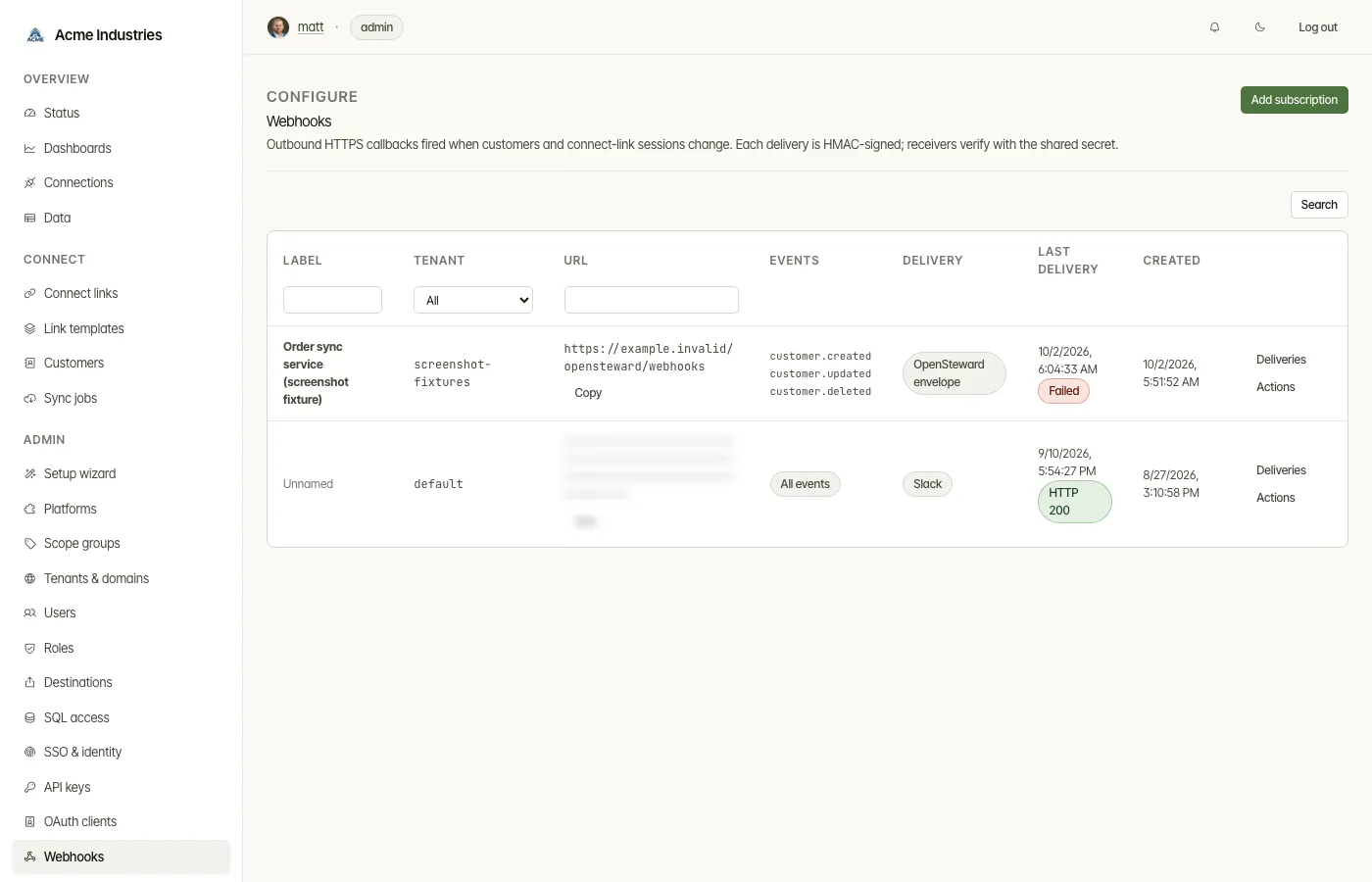
- Webhooks are outbound HTTPS callbacks when customers, Connect Links, connections or resources change. Each delivery is signed with HMAC-SHA256.
Who can use it
Section titled “Who can use it”- Admins create, change and delete on all three pages. All three are in the Admin group.
- Operators can open the three lists by URL and read them, including webhook deliveries, but can’t change anything.
- Tenant-restricted users are refused, because these pages aren’t tenant-scoped yet.
What you can do
Section titled “What you can do”API keys
Section titled “API keys”- Mint key. Choose:
-
the tenant whose customers and connections the key can reach;
-
a label;
-
a mode:
- Live authenticates
/v1/*against real connections. - Test authenticates only the
/test/v1/*sandbox, which has synthetic data and makes no upstream calls.
The mode is fixed when the key is minted.
- Live authenticates
-
an expiry: never, 30 days, 90 days or 1 year;
-
scopes:
- Safe default (recommended) reads every vertical and manages customers, Connect Links and connections, but can’t write vertical data.
- All access (
*). - Custom: you pick each scope.
-
- Save the key immediately. It is shown once.
- Rotate a key. A replacement is minted at once, and the old key keeps working for 24 hours before it revokes itself.
- Revoke a key, effective immediately.
- Open a key in a dialog for its details.
OAuth clients
Section titled “OAuth clients”- Register issuer. Give its name, vendor, issuer URL, JWKS URI, audience, and subject and scope claims. Test discovers the JWKS URI from the issuer.
- Choose where authority comes from:
- Registry (recommended): you register each service account with a tenant and scopes, and deleting one cuts off its tokens at once.
- Registry, narrowed by the token: the registered scopes are a ceiling, and a token can ask for less.
- The token decides: tenant and scopes come from claims. Set the tenant claim and the allowed tenants.
- Set a maximum token lifetime.
- On an issuer’s page, add service accounts (subject, tenant, label) and scope mapping rules (token value → scope). You can also delete the issuer there.
Webhooks
Section titled “Webhooks”- Add subscription. Fill in:
- a label and the endpoint URL;
- the events: All events (
customer.*,connect_link.*,connection.*,resource.*,platform.event) or a Custom set; - the payload format:
- OpenSteward envelope (signed JSON, the default);
- Slack;
- Microsoft Teams;
- Flat JSON, one level of dotted keys;
- optional custom headers for receivers that authenticate by header. They are stored encrypted and never shown again.
- Copy the signing secret straight away. It is shown once, when you create the subscription or rotate its secret.
- Use the Actions menu on a subscription:
- Pause and Resume;
- Rotate secret;
- Send test sends one synthetic event;
- Delivery settings changes the label, format and headers;
- Delete.
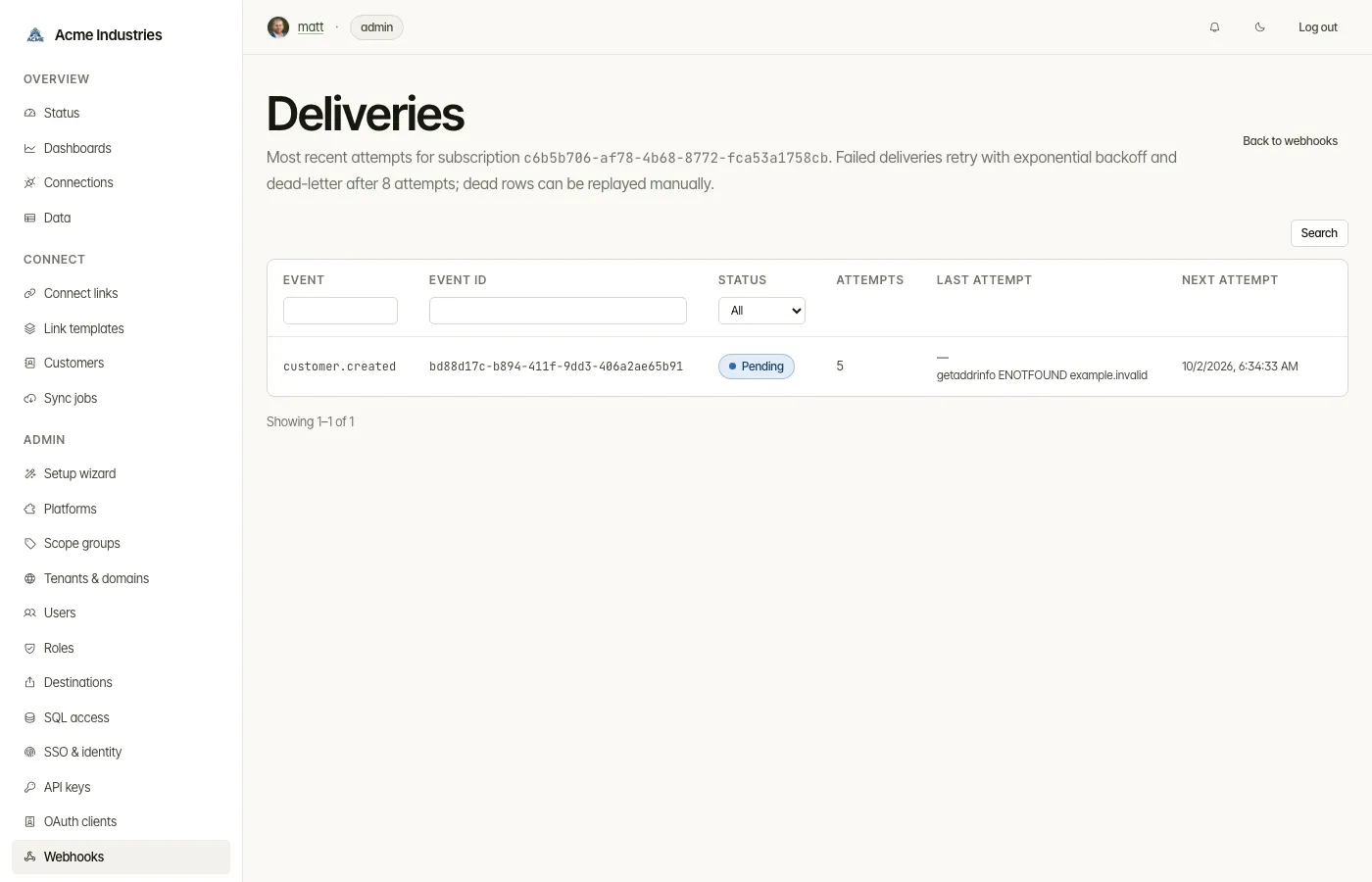
- Read the deliveries. Deliveries lists each attempt for a subscription. You can filter by event, and Replay a delivery.
Developers can also manage their own subscriptions with
POST /v1/webhook-subscriptions, using a key with webhooks:write.
Related docs
Section titled “Related docs”- Developer Guide: authentication, scopes, rate limits, the sandbox and signature verification.
- OIDC setup for the developer API.
- Architecture: webhook delivery.
- Setup wizard: steps 7 and 8 mint your first key and subscription.
opensteward.dev ·Plans and free license ·Terms ·Privacy ·support@opensteward.dev
© 2026 Falco Consulting AB. Built from open-steward/opensteward@a3961d8. This site sets no cookies, runs no analytics and loads nothing from other sites, except platform logos from Brandfetch on the Platforms page.