Sync jobs
Background sync jobs across every vertical, at /sync-jobs.
What it’s for
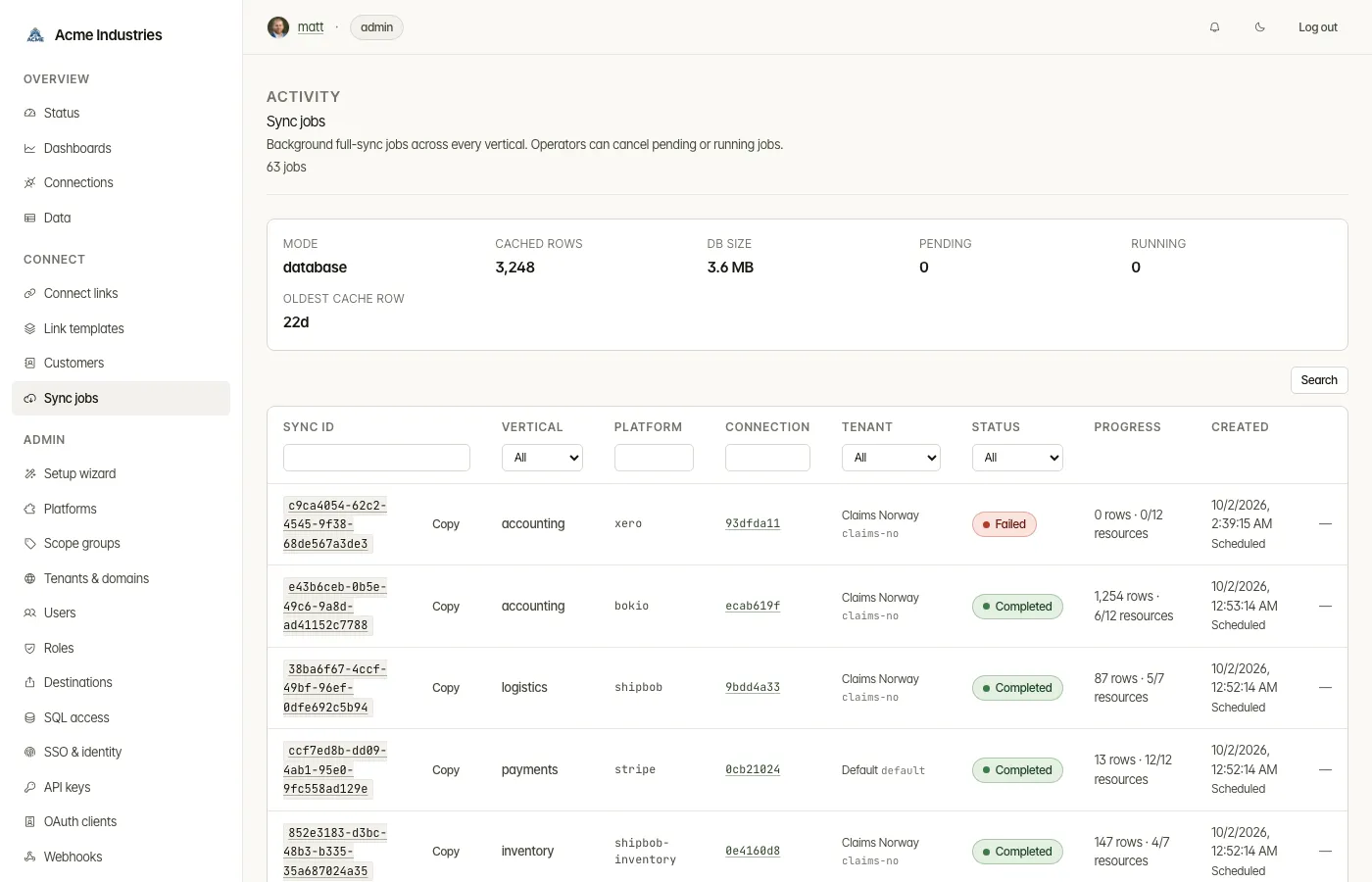
Section titled “What it’s for”A sync job re-reads a connection’s resources from the platform into the data store. This page shows:
- what ran;
- why it ran;
- how far it got;
- why it failed.
Who can use it
Section titled “Who can use it”- Every signed-in user can view jobs.
- Operators and admins can cancel pending or running jobs.
- A tenant-restricted user sees only their tenants’ jobs.
What you can do
Section titled “What you can do”-
List and filter jobs by sync id, vertical, platform, connection, tenant or status. You can sort by platform, connection or created time.
-
See why each job ran. The origin appears under its created time:
Origin What started it Scheduled The connection’s sync schedule Sync now Someone pressed Sync now API POST /v1/{vertical}/syncAfter connecting The first sync after a Connect Link On boot A warm-up sync queued when integration-server starts. This happens only when DATA_STORE_AUTO_SYNC_ON_BOOTis on, and it is off by default -
Follow progress. The list shows each job’s per-resource progress.
-
Open a job in a dialog. It shows:
- status, vertical, platform, connection and tenant;
- when it was created, started and finished, and how long it took;
- its callback URL;
- the error, if it failed;
- Progress by resource: rows synced and status for each resource type.
-
Cancel a pending or running job (operator).
A connection has at most one sync queued at a time. Jobs older than 30 days are cleaned up daily. Each connection keeps its latest successful sync and any failures since then, because its schedule still reads them.
Related docs
Section titled “Related docs”- Connections: setting a connection’s schedule, and Sync now.
- Developer Guide §7:
/sync: job envelopes, statuses, callbacks and rate limits. - Architecture: runtime flows.
opensteward.dev ·Plans and free license ·Terms ·Privacy ·support@opensteward.dev
© 2026 Falco Consulting AB. Built from open-steward/opensteward@a3961d8. This site sets no cookies, runs no analytics and loads nothing from other sites, except platform logos from Brandfetch on the Platforms page.