Customers
The end-customers you send Connect Links to, at /customers.
What it’s for
Section titled “What it’s for”A customer (an “end-user” in the API) is the person or company behind one or more connections. This page keeps their details, shows their connections and links, and mints the MCP tokens that let an AI agent read only that customer’s data. Personal details are encrypted at rest and shown only when you ask for them.
Who can use it
Section titled “Who can use it”- Every signed-in user can see the list and a customer’s page.
- Operators and admins can add and edit customers, send them Connect Links, and mint and revoke MCP tokens. Viewers don’t see the token list.
- Admins can reveal a customer’s personal details and delete customers.
- Tenant-restricted users are refused, because customers aren’t tenant-scoped yet.
What you can do
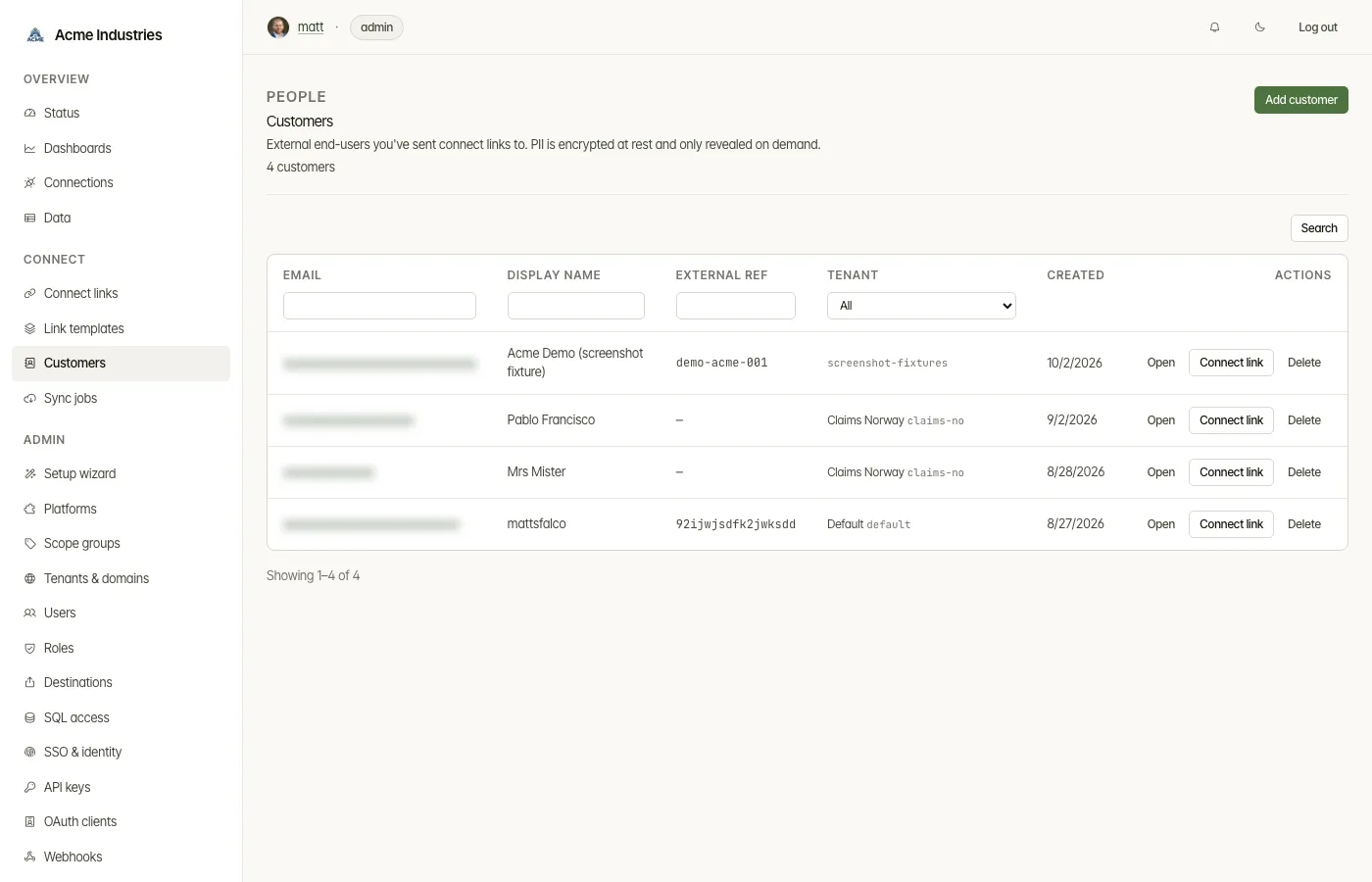
Section titled “What you can do”- Find a customer. Search and filter by email, display name, external reference, tenant or created date.
- Act on a row. Each row has Open and Connect link, which starts a link pre-filled for that customer. Admins also get Delete: the customer’s Connect Links stay for audit, detached from them.
- Add a customer (operator). Fill in:
- the tenant, which is fixed once set;
- email, display name and an external reference back to your own system;
- personal information: name, phone, personal ID number and address.
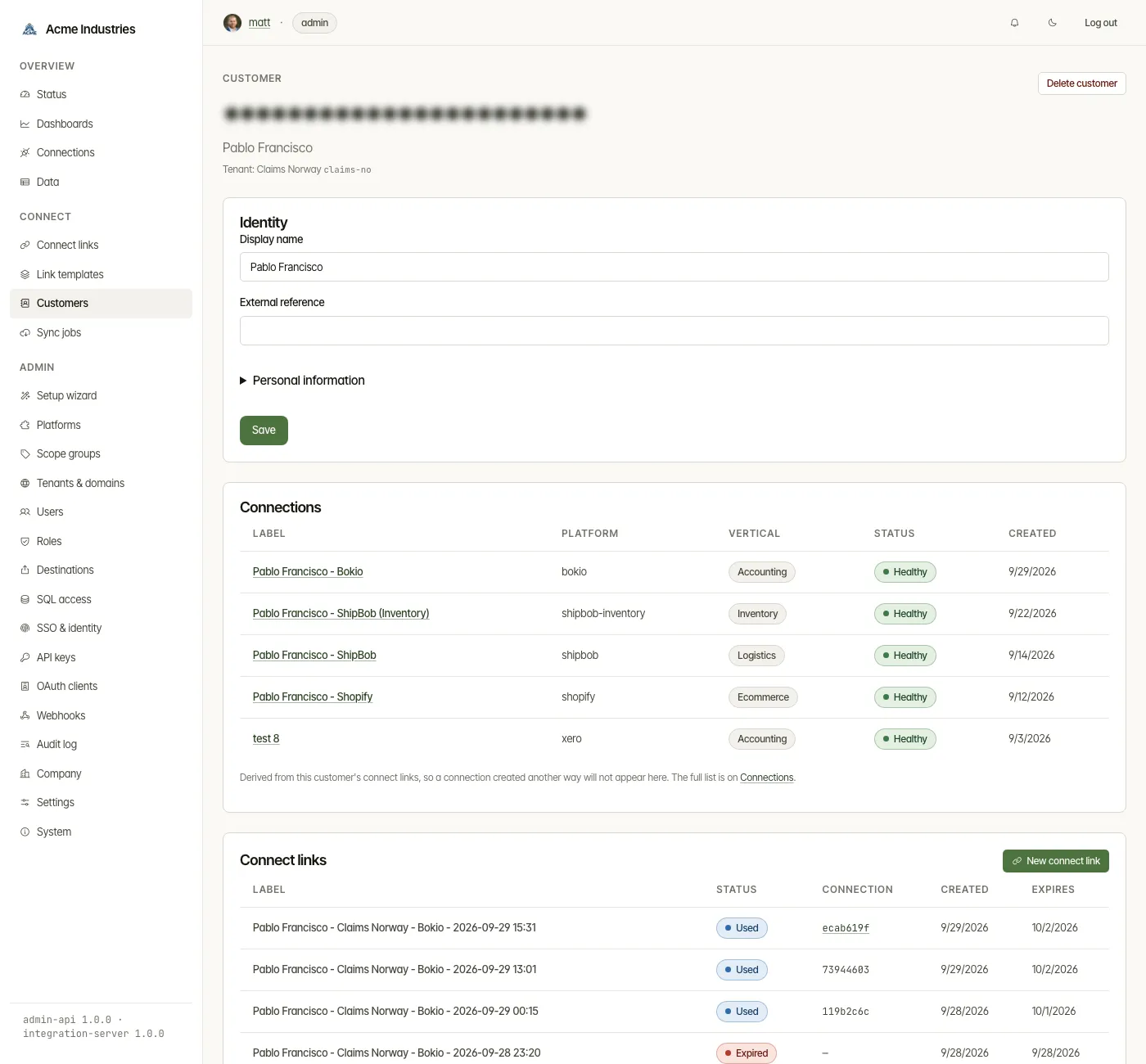
- Edit identity (operator). Personal information is masked. An admin can press Reveal to load it, which writes an audit entry. If you save while it is masked, the stored values are overwritten.
- See their connections and Connect Links. A customer’s page lists both, with New link to send another.
- Mint an MCP token (operator).
- Give it an optional label and press Mint new token.
- The token is shown once, with a ready-to-paste Claude Desktop config.
- In that config the agent sees only this customer’s connections.
- The list shows each token’s label, prefix, created and last-used times and status, with Revoke.
Related docs
Section titled “Related docs”- Connect links and templates.
- MCP: connect AI agents and the MCP server README: what a token unlocks.
- Developer Guide §4: Customers: managing customers from your app.
- Data-erasure runbook: removing a customer’s data everywhere.
opensteward.dev ·Plans and free license ·Terms ·Privacy ·support@opensteward.dev
© 2026 Falco Consulting AB. Built from open-steward/opensteward@a3961d8. This site sets no cookies, runs no analytics and loads nothing from other sites, except platform logos from Brandfetch on the Platforms page.