Tenants, company, settings and notifications
Deployment-wide configuration, plus the notification list behind the header bell:
- tenants and custom domains (
/tenants); - your company’s branding (
/company-info); - runtime settings (
/settings); - which release is running, and whether every service is up (
/settings/system); - notifications (
/notifications).
What it’s for
Section titled “What it’s for”- Tenants are the isolation boundary behind developer keys, customers and Connect Links. Attaching a custom domain to a tenant scopes every request on that host to it.
- Company is the branding and contact details shown on the console, Connect Links and the developer portal.
- Settings are tunables that take effect without a redeploy.
- System shows what is running.
- Notifications collect alerts about connections, platform credentials and verticals.
Who can use it
Section titled “Who can use it”- Company, Settings and System are for admins only.
- Tenants & domains appears in the sidebar for admins. Operators can open
/tenantsby URL and create and delete tenants and domains there. A tenant-restricted user sees only their own tenants and can’t create one. - Notifications are open to every signed-in user. Dismissing needs the operator role.
What you can do
Section titled “What you can do”Tenants and domains
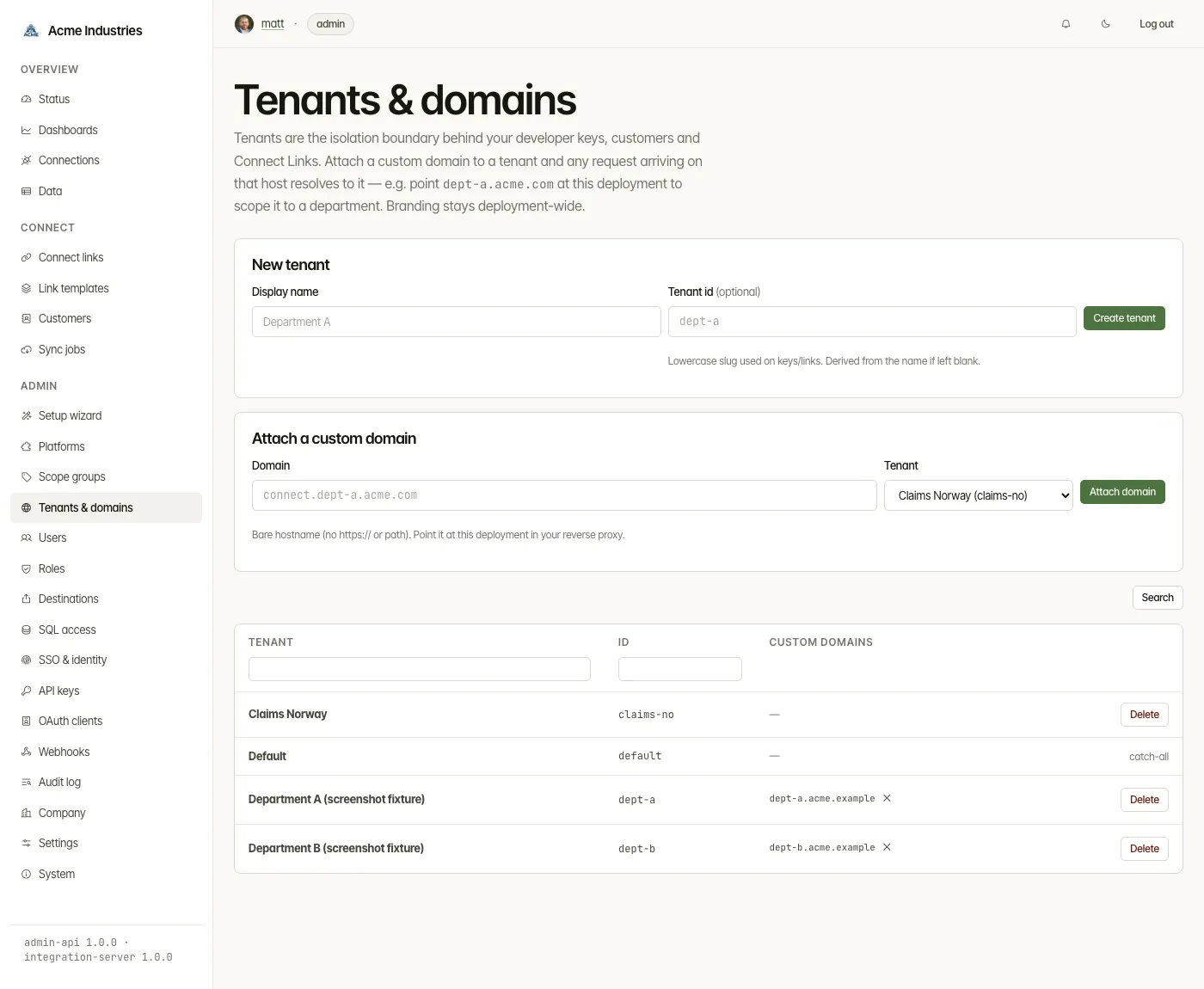
Section titled “Tenants and domains”- Create a tenant. Give it a display name and, optionally, an id. The id is a lowercase slug used on keys and links, derived from the name if you leave it blank.
- Attach a custom domain to a tenant. Enter a bare hostname, then point it at this deployment in your reverse proxy. Requests that arrive on it resolve to that tenant.
- Detach a domain, or delete a tenant. Detach its domains first.
- The license limits tenants. It counts every registered tenant,
defaultincluded. At the limit, creating one is refused with the license’s message (LICENSE_LIMIT_EXCEEDED); existing tenants keep working and can still be deleted. Community mode allows one tenant; a license file can allow more. See Installing and renewing your license.
Branding stays deployment-wide; it isn’t set per tenant.
Company
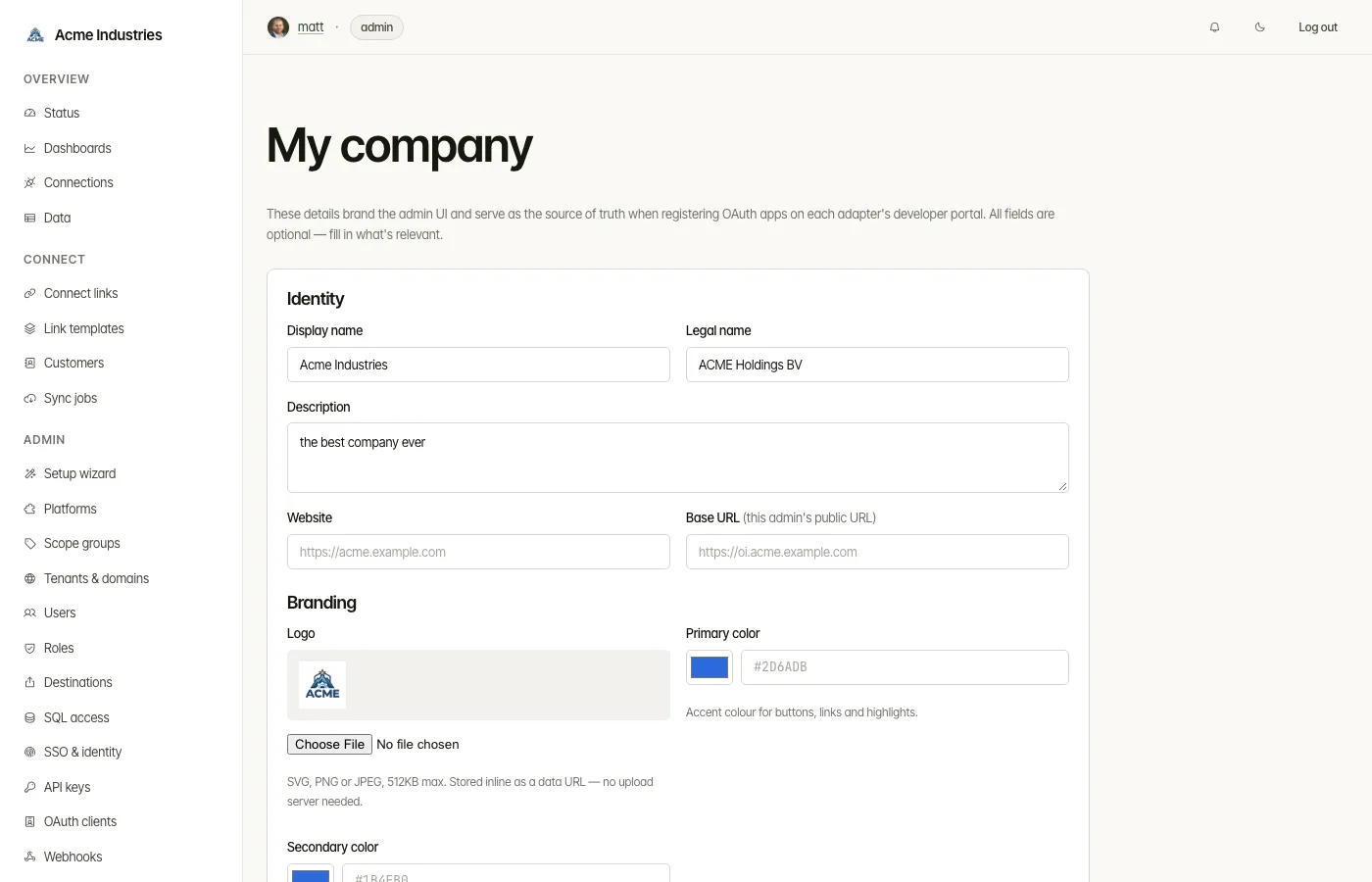
Section titled “Company”The My company form has these sections:
- Identity: display name, legal name, description, website, and Base
URL. The base URL is the deployment’s public URL. Connect Links and
platform redirect URIs fall back to it when
PUBLIC_BASE_URLisn’t set. - Branding: logo, primary and secondary colours, favicon, and White-label. White-label hides the OpenSteward mark and wordmark wherever you haven’t set your own logo or name.
- Typography: font family, plus an optional font stylesheet URL or font file.
- Contact & legal: support email, privacy policy URL, terms of service URL.
- Address.
Press Save changes to apply them.
Reset Company Info, under the form, clears every field, including the
logo, favicon and font, after the browser asks you to confirm. Every branded
page goes back to OpenSteward’s own branding, as on a fresh install; Connect
Link pages and the docs portal catch up within a minute. The setup wizard’s
Branding step shows as not done until you save again. The reset is recorded
in the audit log as company_info.reset, and cannot be undone.
Settings
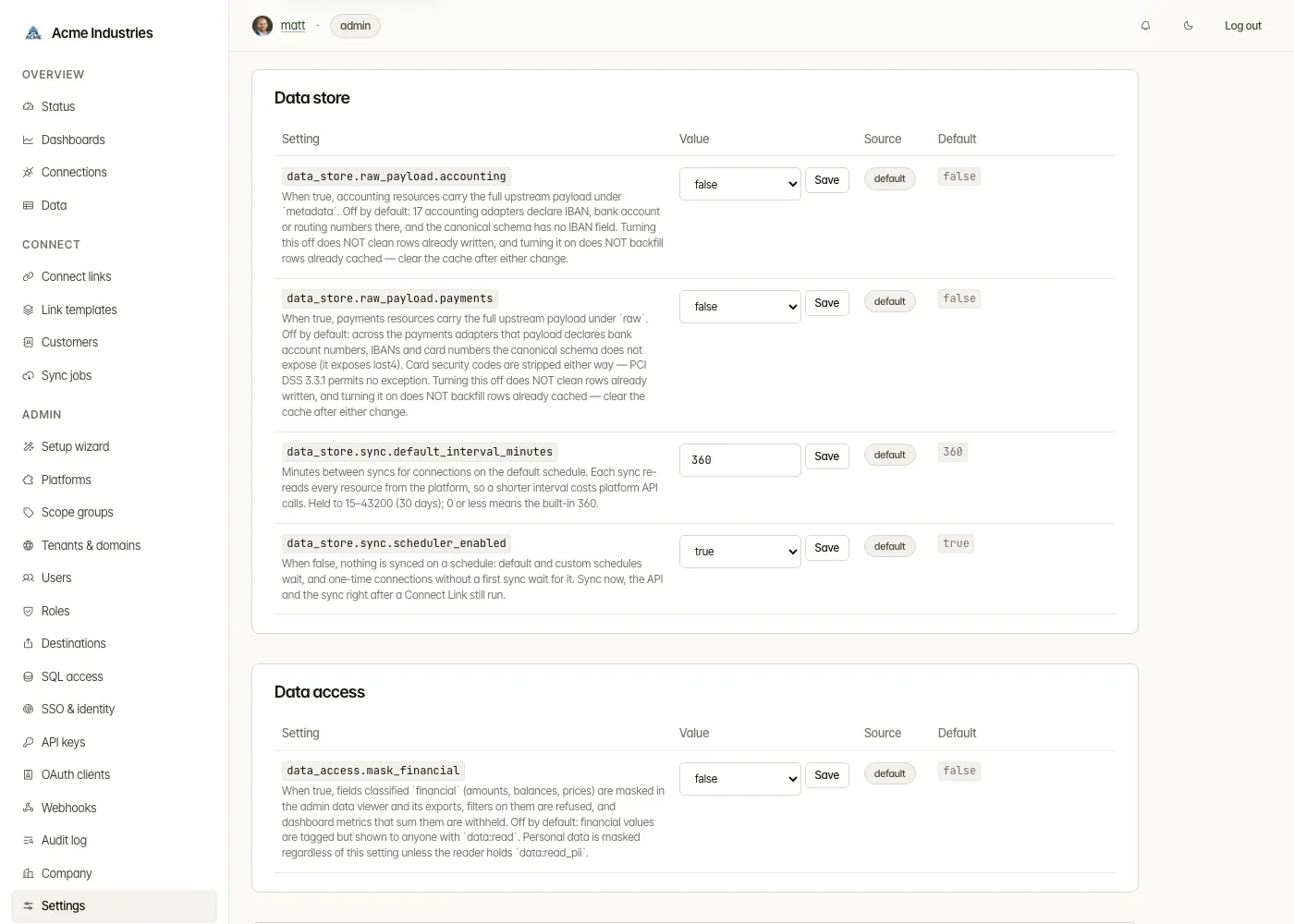
Section titled “Settings”Runtime settings are grouped into sections:
| Section | Settings |
|---|---|
| Rate limits | Per-key, MCP and Connect Link request budgets |
| Features | MCP, end-user mode, test mode |
| Connect Links | Default link expiry, one-time default |
| Data store | Raw payload storage per vertical; sync schedules: data_store.sync.default_interval_minutes (default 360, i.e. 6 hours) and data_store.sync.scheduler_enabled |
| Data access | data_access.mask_financial |
| Webhooks | Delivery and inbound-event retention |
| Authentication | Local password login, break-glass user, developer API keys and OAuth, self-serve sandbox keys |
| Audit | Audit-log retention |
| OpenAPI / docs | The servers shown in the Unified API reference |
| Platform logos | Logo source and fetch options |
- Each row has Save and Reset. Reset returns the setting to its seeded default.
- Services pick up a change within about a minute.
- Every edit is written to the audit log.
System
Section titled “System”- Release: the OpenSteward release this deployment runs, for example OpenSteward 0.1.0. A build made from source rather than a published image is labelled Development build. Links lead to that release’s notes, every release, and the upgrade guide. The console never checks for updates itself.
- Services: the admin console, admin API, integration server, docs and webhook gateway, each Running or Not responding.
- License: who the license is issued to, the plan, label, license ID,
expiry and days left, connections and tenants used against the limits, the
enabled verticals, and where integration-server read it, with links to renew
it and to Installing and renewing your license.
It says unavailable, with the reason, when admin-api cannot get the status
from integration-server, most often because
ADMIN_SECRETis not set on both. WhenOPENSTEWARD_LICENSEis set and a license file also exists, the card names that file, which integration-server then ignores: renewing it changes nothing untilOPENSTEWARD_LICENSEis unset. Without a valid license the card says community mode: one connection and one tenant. Connections beyond the first one stay readable and keep syncing; writes through them are refused (LICENSE_LIMIT_EXCEEDED). Nothing is deleted. - Warnings, only when something is wrong:
- a service that is not responding, by name: check that its container or pod is running, then read its logs;
- services on different releases, which means an upgrade has not finished;
- the license, when it is expiring, expired, invalid or missing: what still works, and a link to renew. Admins see the same warning at the top of every console page.
- Technical details (closed): each service’s package version, Git SHA and build time, and Copy for a bug report, which copies all of it for an issue’s Version field.
Database migrations are not listed. Each service applies its own when it
starts, and a failed migration keeps that service from starting, so it shows
as not responding. The sidebar footer shows the same release, for example
OpenSteward 0.1.0.
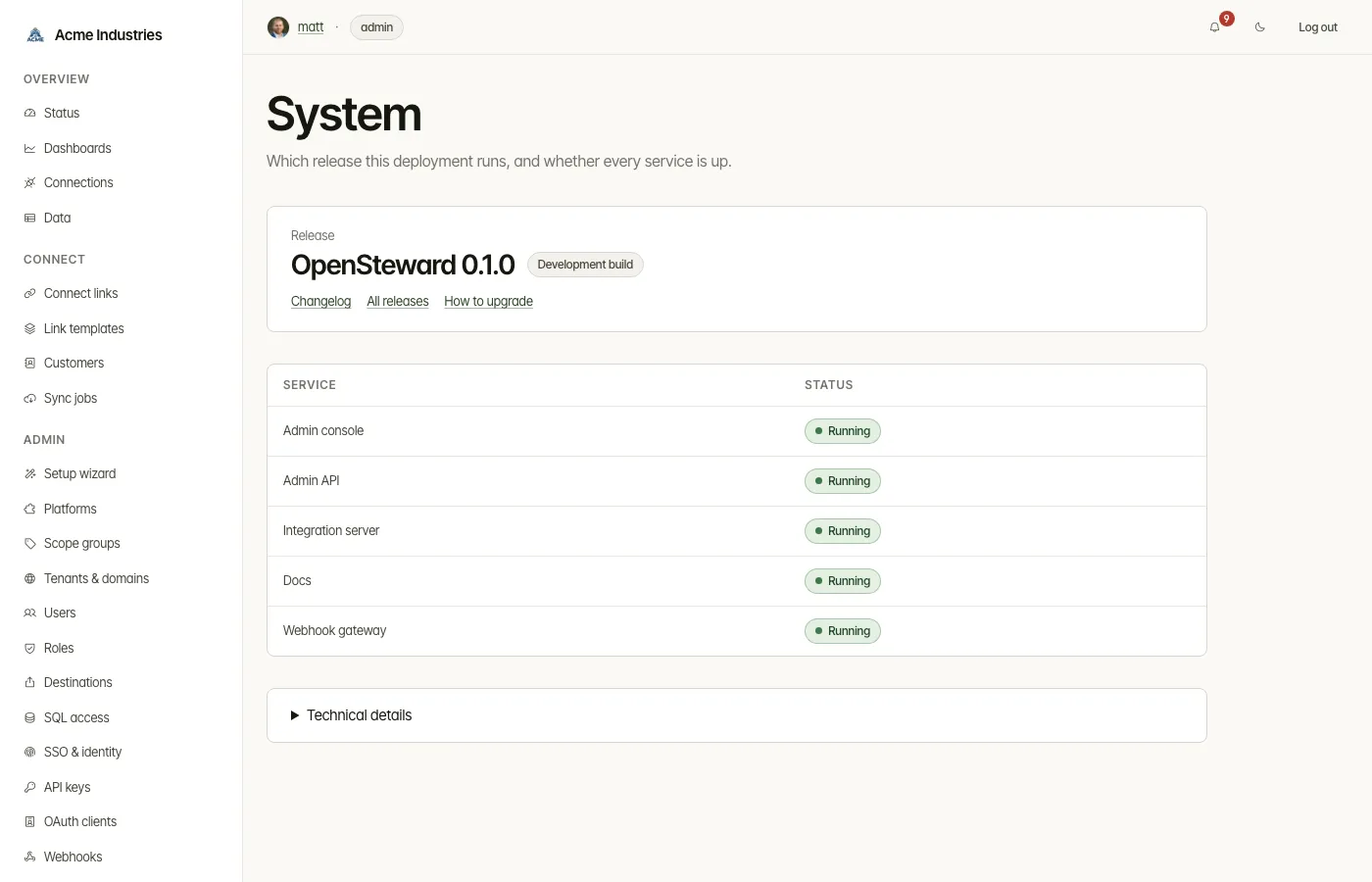
The Open System page action on Status leads here when a vertical is down.
Notifications
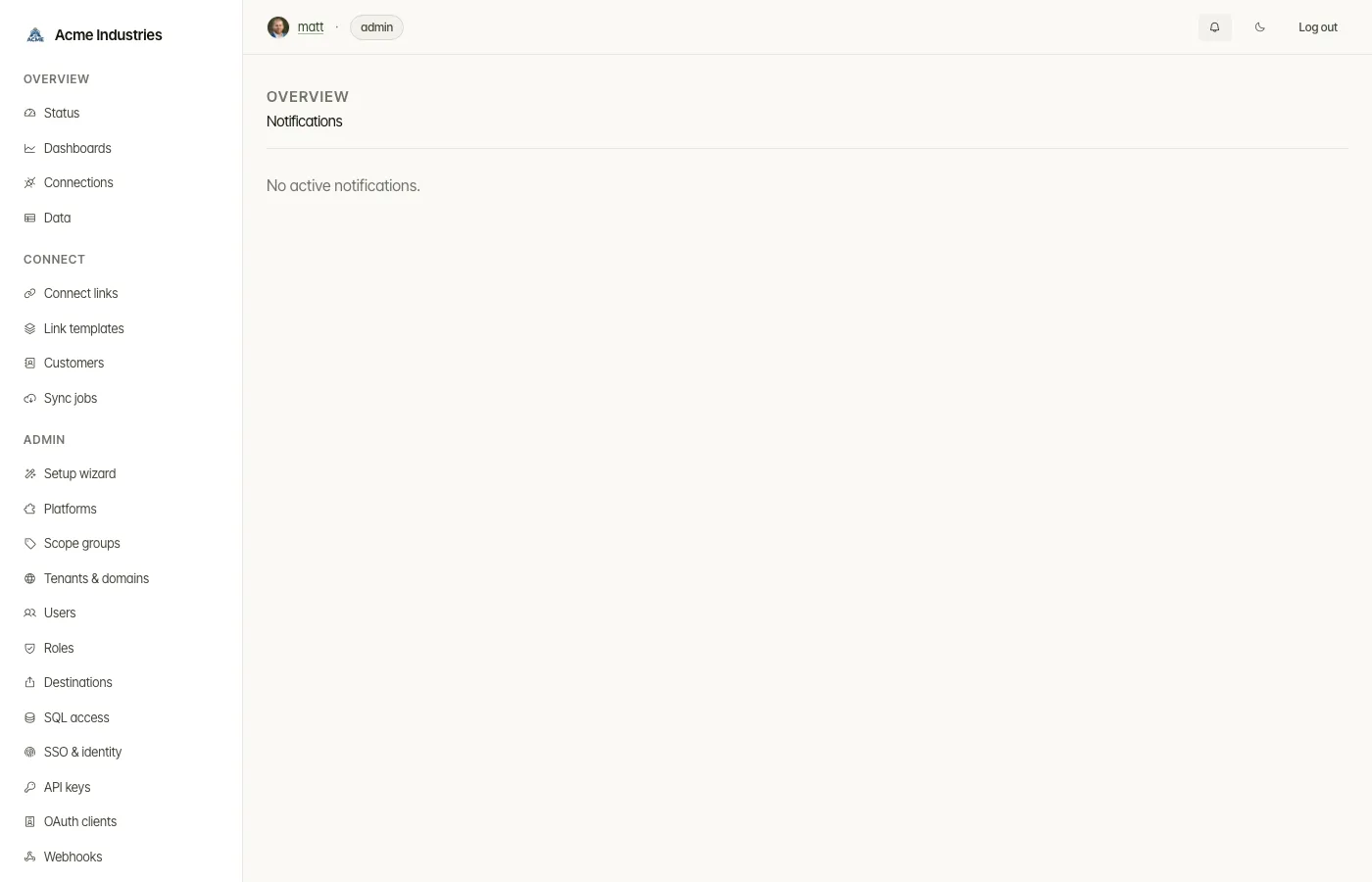
Section titled “Notifications”The header bell opens a list of active alerts:
- connections that have expired or are about to;
- platform credentials that were rejected;
- verticals that are down.
The bell’s count leaves out “expiring soon” alerts. The page says how many it isn’t counting.
- Open goes to the connection, or to the platform for an admin.
- Dismiss and Dismiss all (operator) clear an alert for everyone.
Related docs
Section titled “Related docs”- Custom domain + TLS: put Connect Links and the API on your own hostnames.
- Architecture: auth and tenancy: what a tenant scopes.
- Connections: sync schedules.
- Platform logos.
- Environment variables: the bootstrap values behind the settings.
opensteward.dev ·Plans and free license ·Terms ·Privacy ·support@opensteward.dev
© 2026 Falco Consulting AB. Built from open-steward/opensteward@a3961d8. This site sets no cookies, runs no analytics and loads nothing from other sites, except platform logos from Brandfetch on the Platforms page.