Setup wizard
Eight steps that take a fresh deployment from an empty admin account to a
first API key and webhook subscription, at /setup/wizard.
What it’s for
Section titled “What it’s for”The wizard walks a new admin through the decisions a deployment needs before customers can connect. Every step is one an admin can finish alone. Several steps are optional and can be skipped and revisited later.
Who can use it
Section titled “Who can use it”The Setup wizard sidebar entry is for admins, and steps 7 and 8 need the admin role.
The wizard follows the first-run sign-up. On a fresh deployment, every page
first redirects to /setup/init, where you create the first admin account.
See signing in.
What you can do
Section titled “What you can do”The wizard keeps no progress of its own. Each step is marked done from what is
actually saved, so work you do elsewhere counts too: enabling a platform on
Platforms completes step 4. Opening /setup/wizard resumes
at the first step that isn’t done.
| Step | Page | What you do |
|---|---|---|
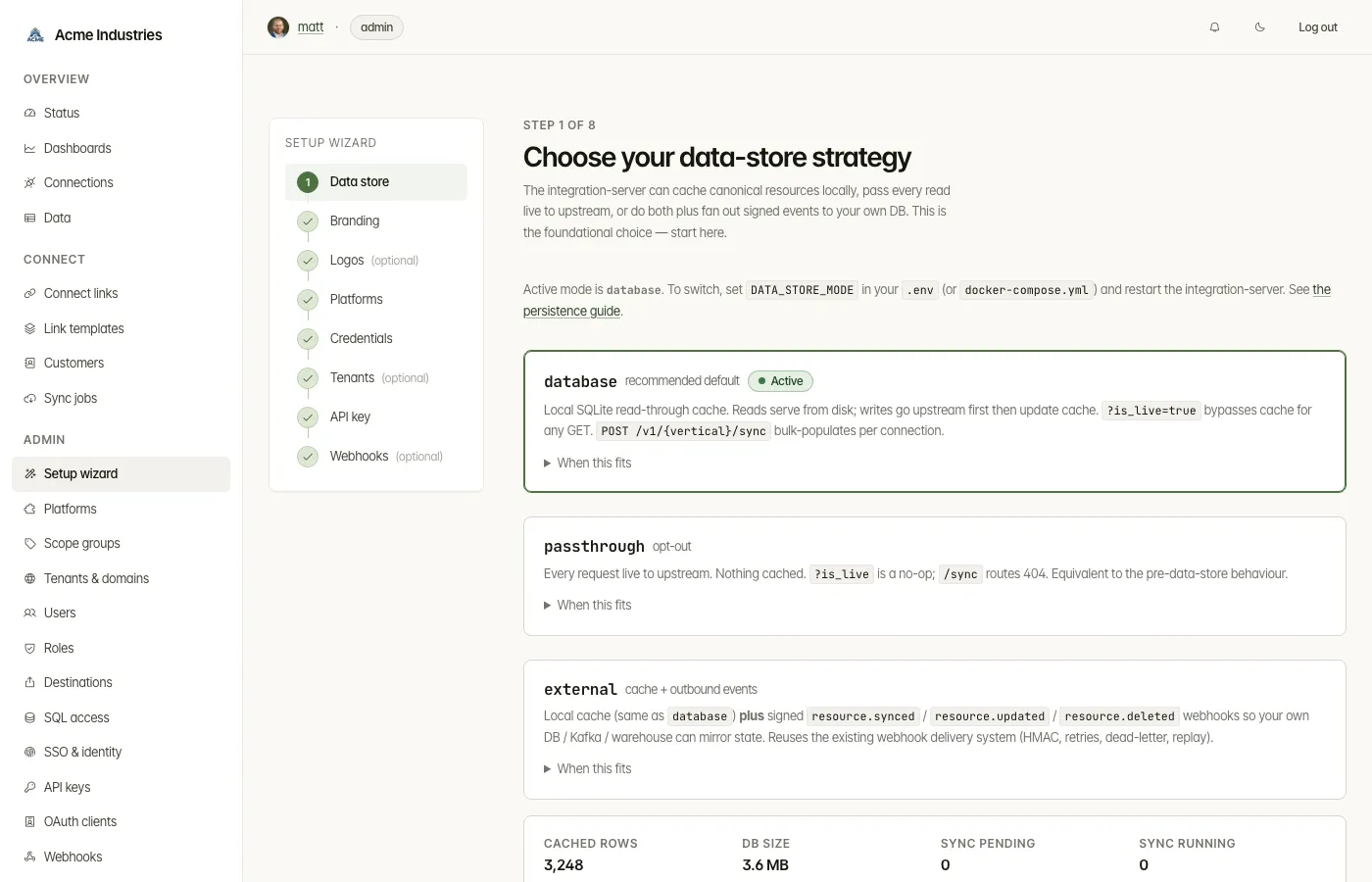
| 1. Data store | /setup/wizard |
See the active data-store mode (database, passthrough or external) and what each means. To change it, set DATA_STORE_MODE and restart integration-server. |
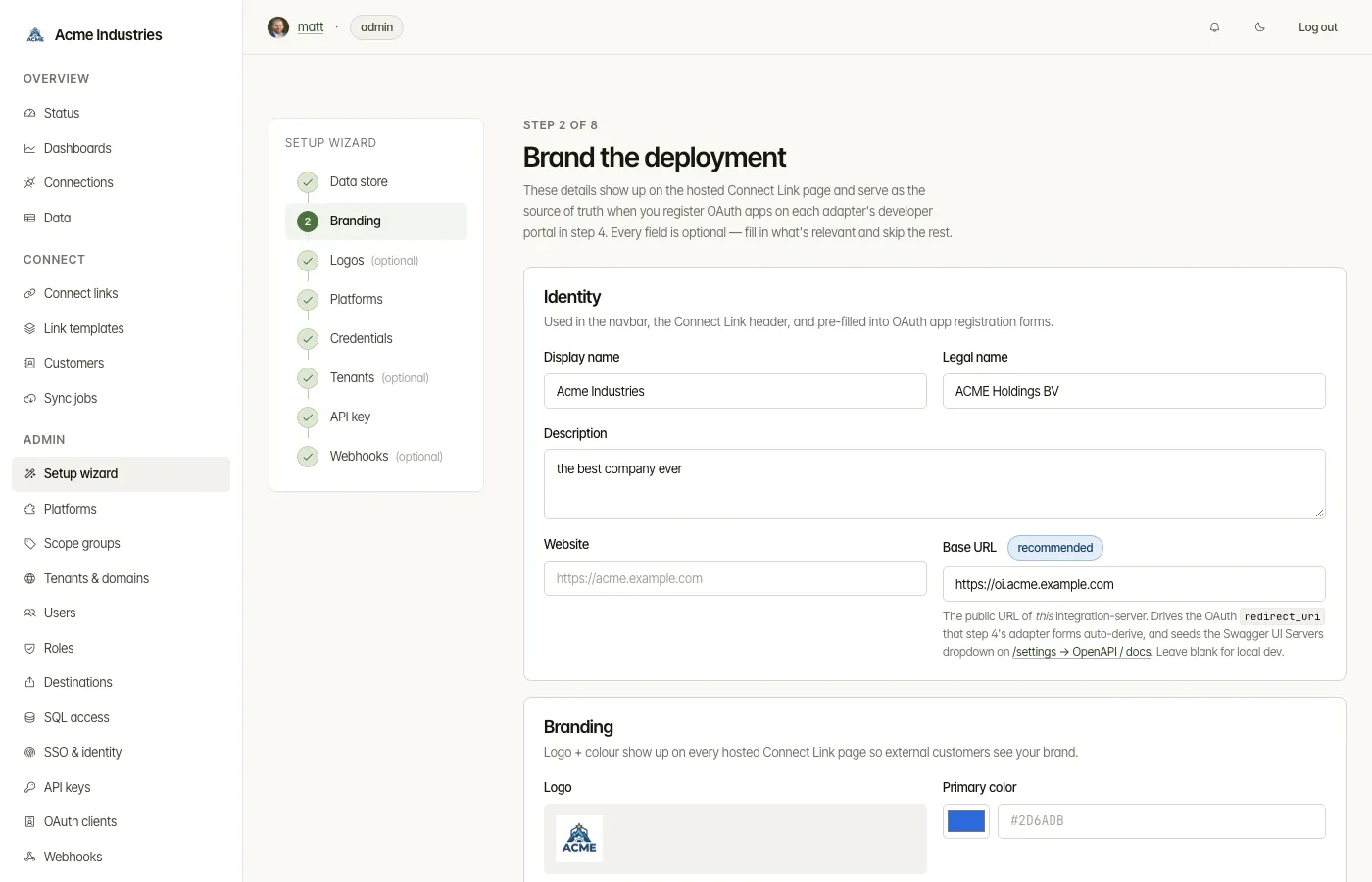
| 2. Branding | /setup/wizard/company-info |
Your company’s name, logo, colours, base URL and contact details. You can change them later under Company. |
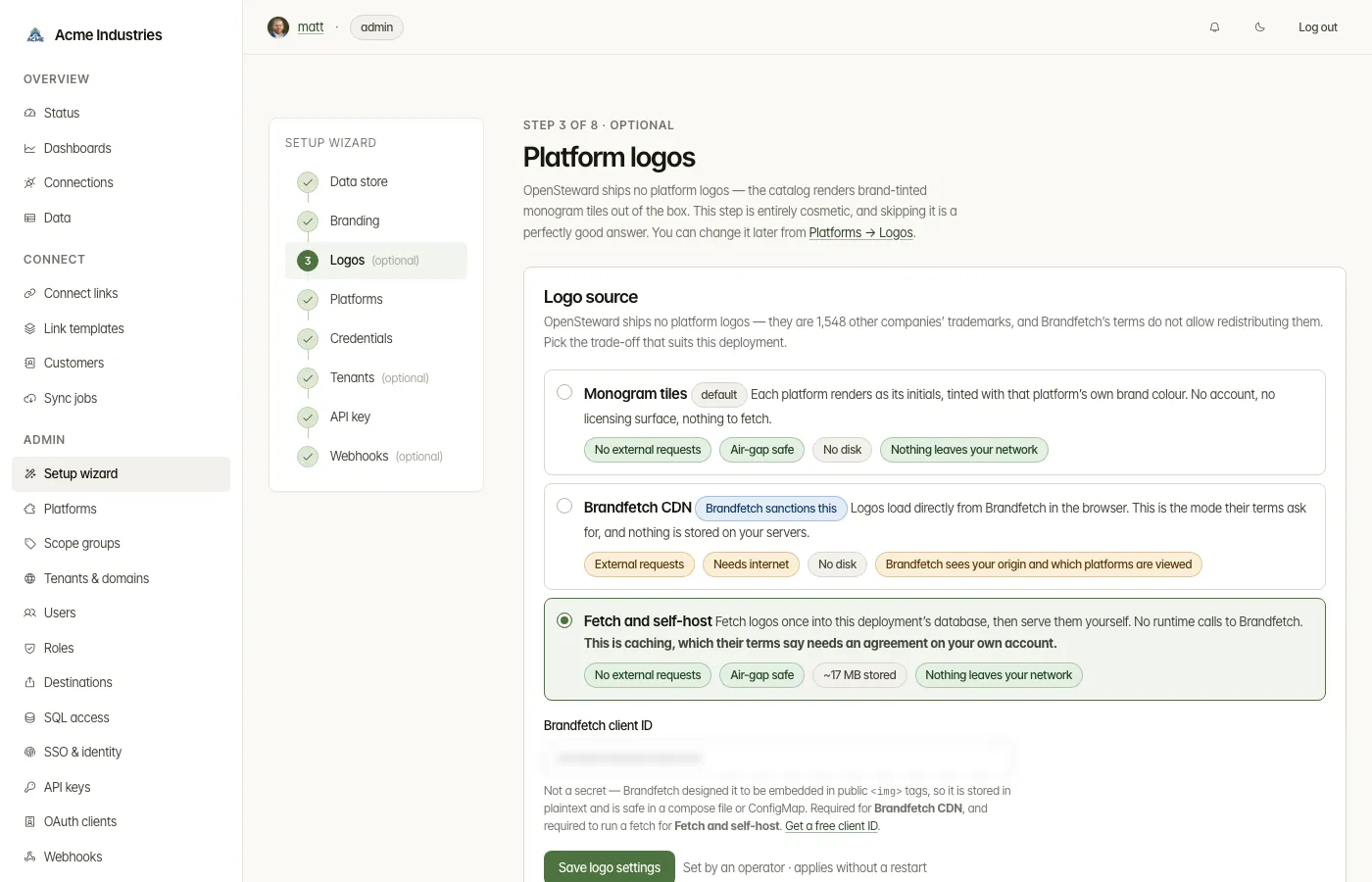
| 3. Logos | /setup/wizard/logos |
Optional: choose how platform logos are shown. |
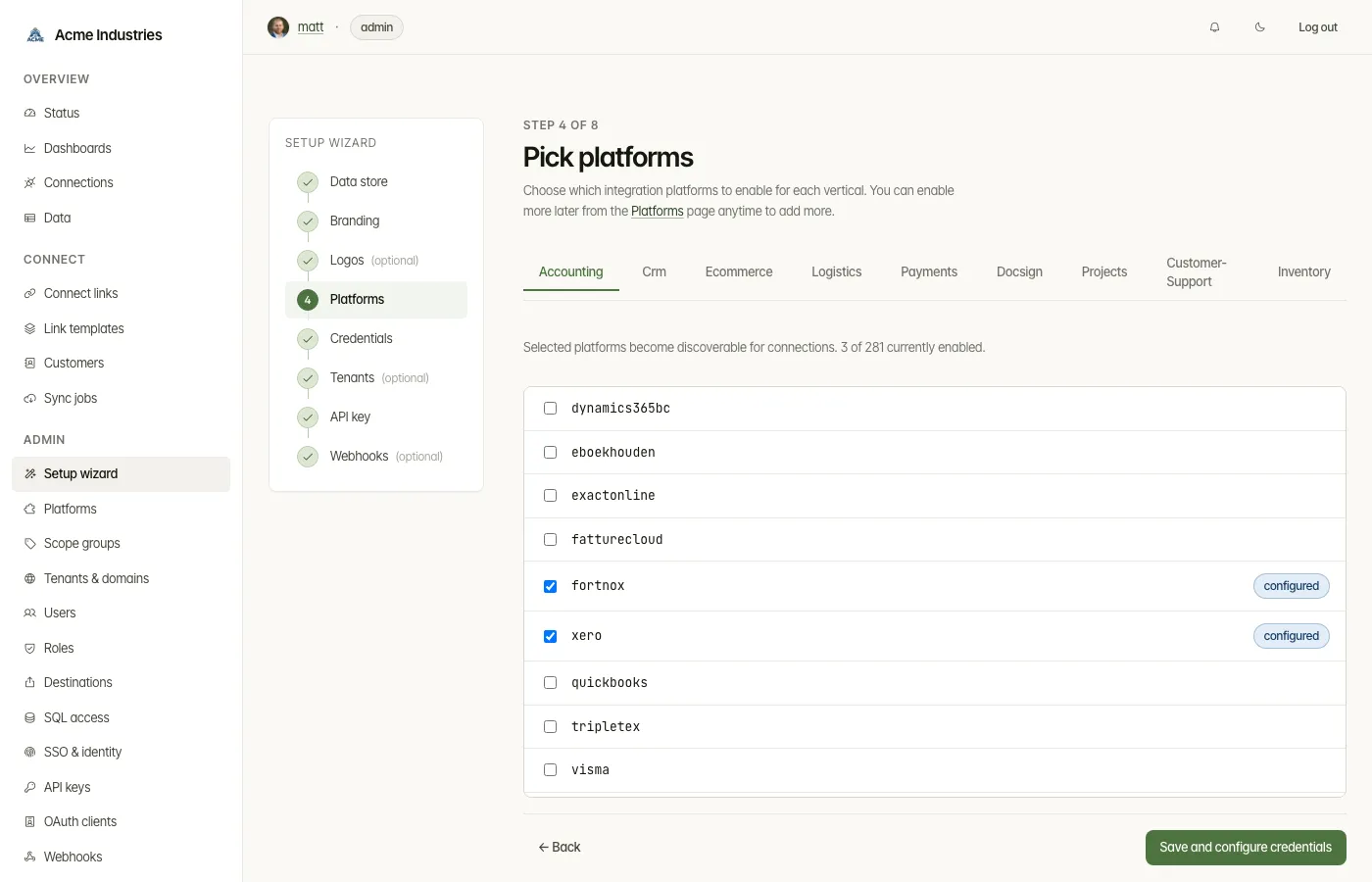
| 4. Platforms | /setup/wizard/platforms |
Pick the adapters to enable, vertical by vertical. |
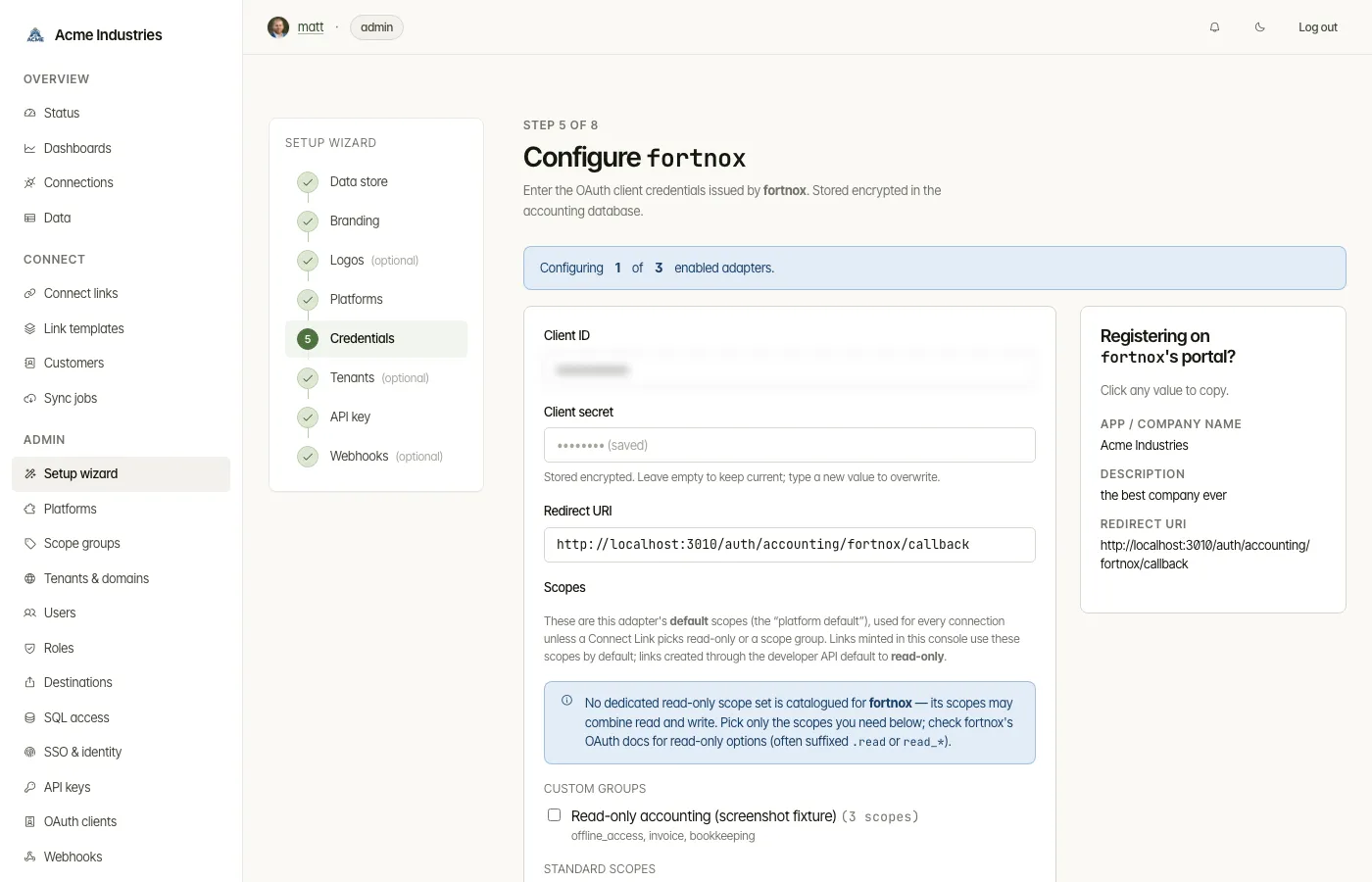
| 5. Credentials | /setup/wizard/configure |
Enter each enabled platform’s OAuth client credentials, one platform at a time. The sidebar has your company details ready to copy into the platform’s developer portal. |
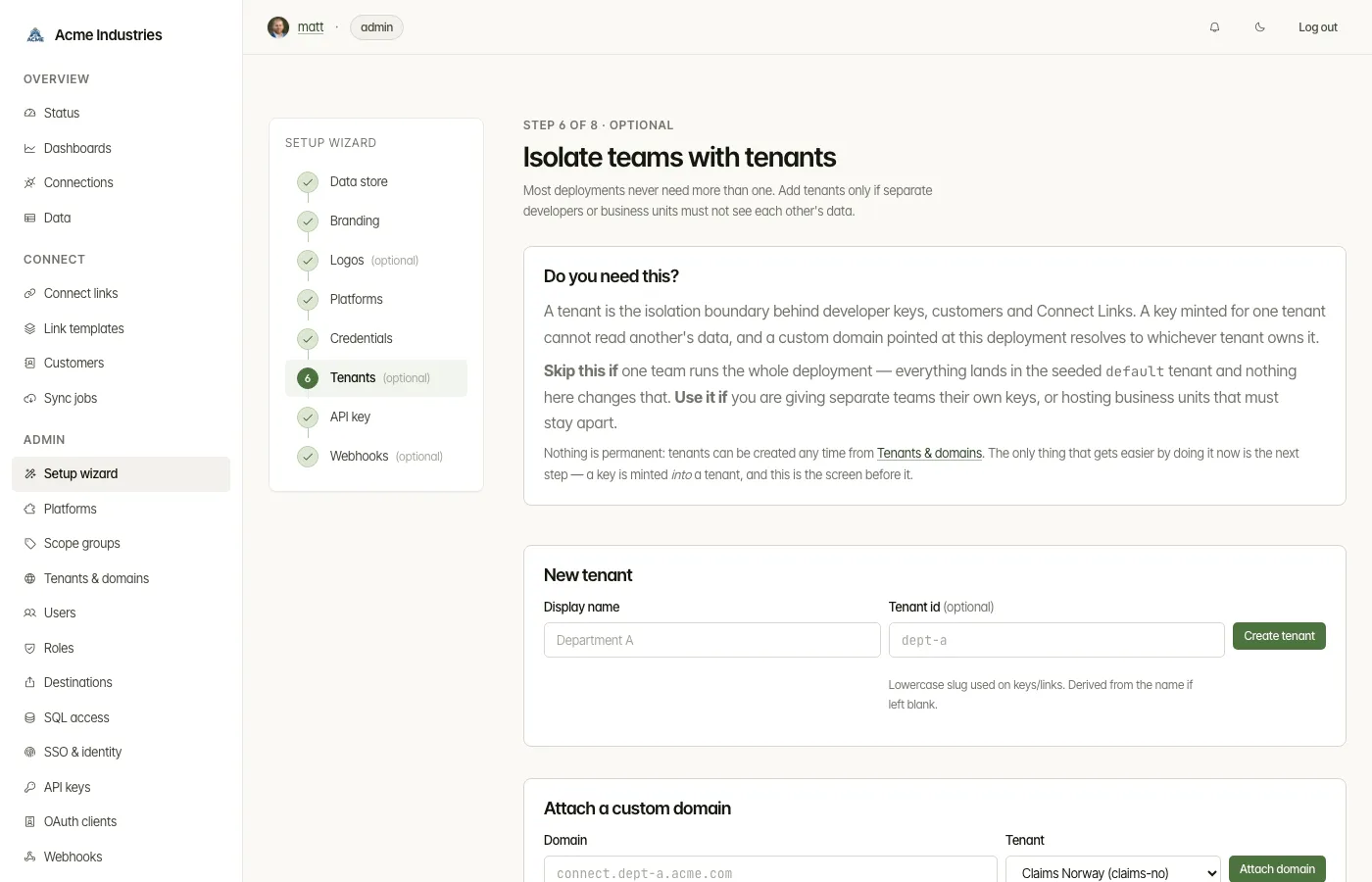
| 6. Tenants | /setup/wizard/tenants |
Optional: create tenants and attach custom domains. |
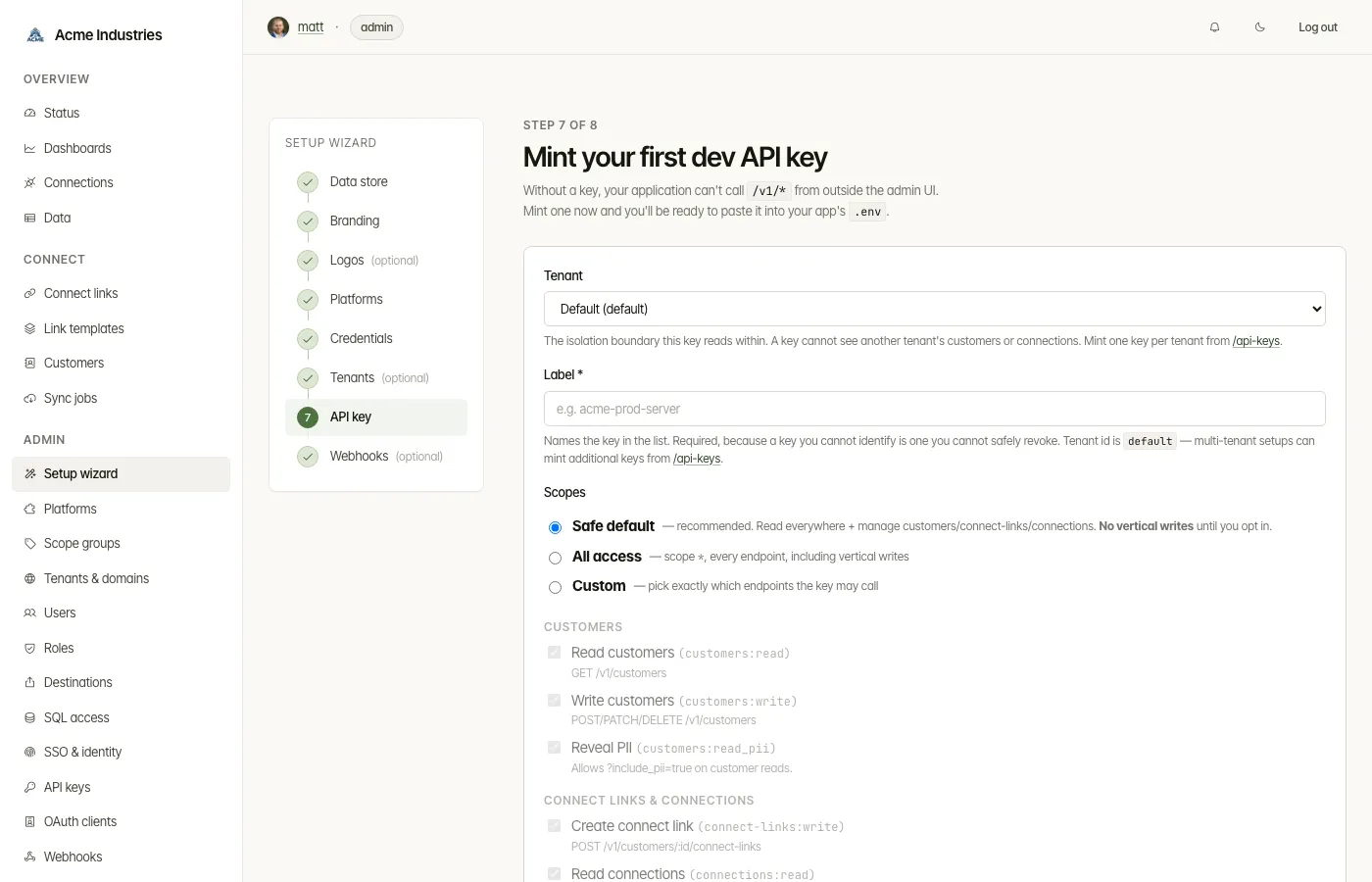
| 7. API key | /setup/wizard/api-key |
Mint your first developer API key, and optionally an MCP key for AI agents. Each key is shown once. |
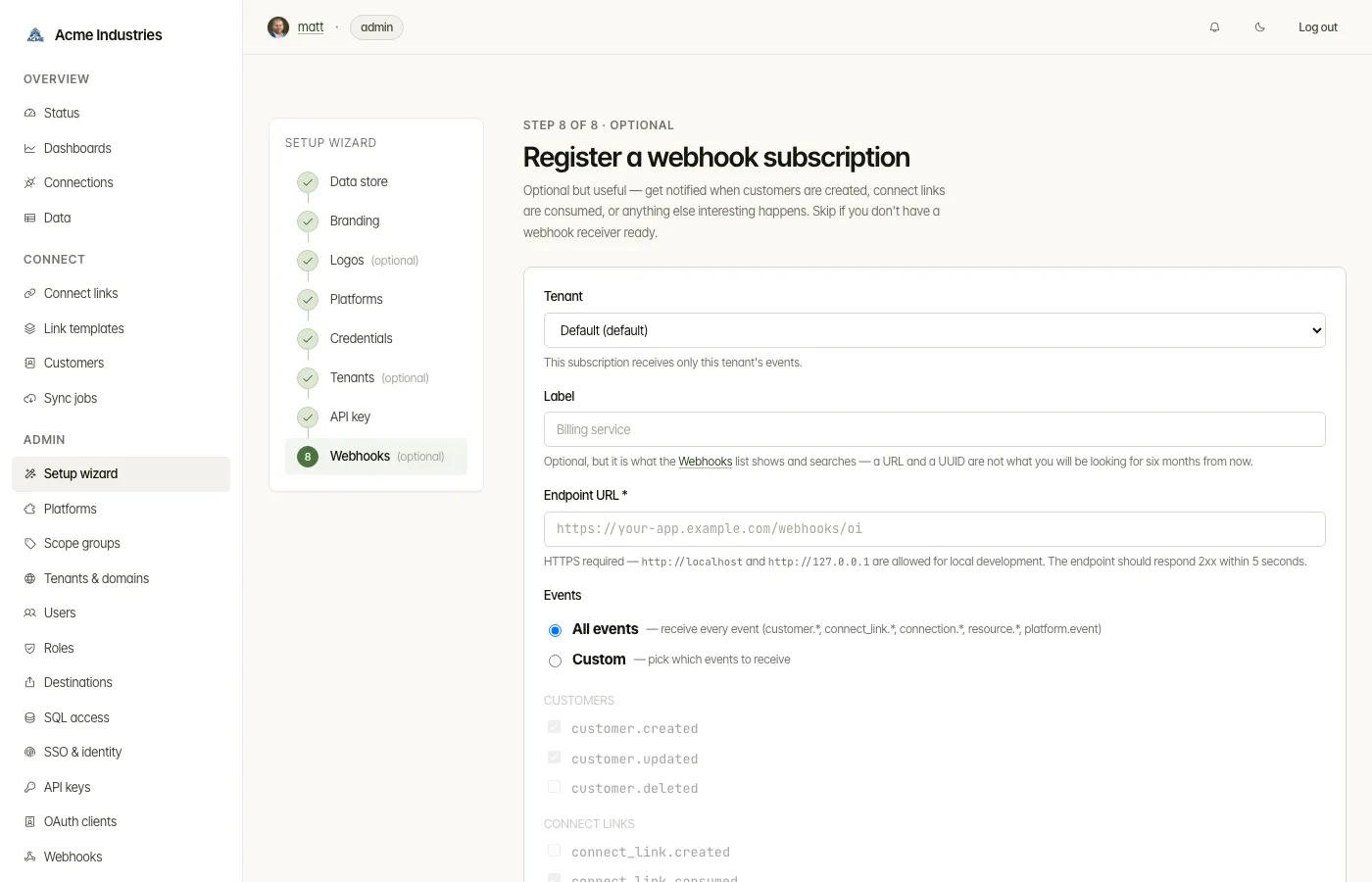
| 8. Webhooks | /setup/wizard/webhooks |
Subscribe an endpoint to events. This is optional unless you run in external mode. The signing secret is shown once. |
A progress rail beside the steps shows what is done. If you leave part-way, the Status page shows admins a Finish setting up card with the next step. Finish setup on step 8 takes you to Status, which shows “Setup complete” once nothing is outstanding.
Related docs
Section titled “Related docs”- Architecture: setup wizard state machine: every branch, the resume logic and the setup card.
- Architecture: auth and tenancy, first-run bootstrap.
- Platforms, API keys and webhooks: where each step’s settings live afterwards.
opensteward.dev ·Plans and free license ·Terms ·Privacy ·support@opensteward.dev
© 2026 Falco Consulting AB. Built from open-steward/opensteward@a3961d8. This site sets no cookies, runs no analytics and loads nothing from other sites, except platform logos from Brandfetch on the Platforms page.