Audit log and My profile
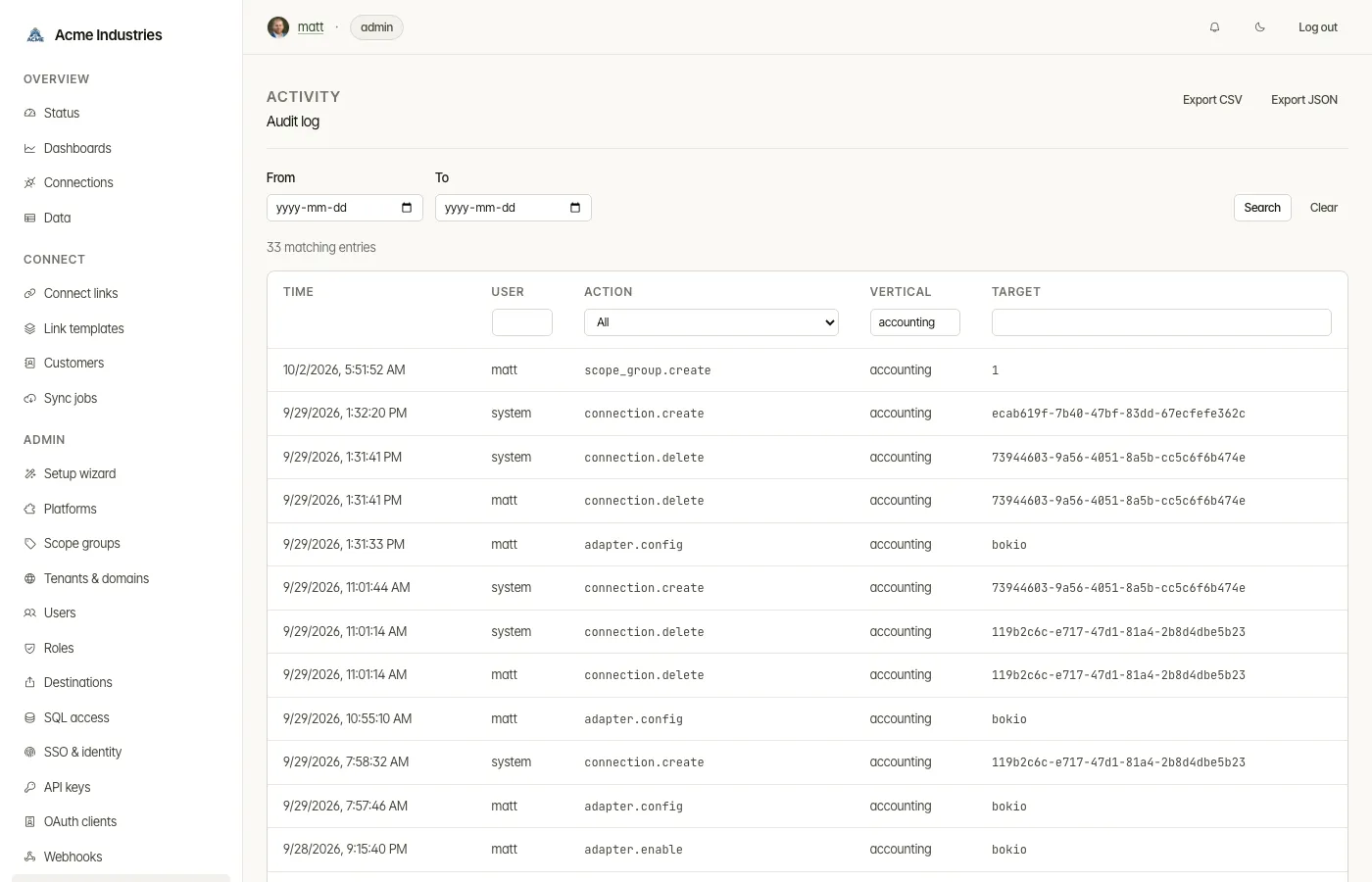
The record of every console change (/audit), and your own account
(/profile).
What it’s for
Section titled “What it’s for”- The audit log answers “who changed what, and when?”. Every admin change, sign-in, personal-data reveal, export and sharing change is written to it, with a timestamp and the user who did it. It records what changed, not secret values: destination credentials and SQL passwords, for example, never reach it.
- My profile is where you see your own account and set your picture.
Who can use it
Section titled “Who can use it”- Audit log: admins only. Tenant-restricted users are refused, because the log isn’t tenant-scoped yet.
- My profile: every signed-in user. Open it from your picture and username in the header.
What you can do
Section titled “What you can do”Audit log
Section titled “Audit log”- Filter by user, action, vertical, target, or a date range, and sort by any of those columns.
- Export CSV or Export JSON. The export contains the filtered view you are looking at, not the whole log.
- Follow links from other pages. Some pages link straight to a filtered
view. For example, after you reveal a user’s identity, their page links to
user.pii_revealentries.
How long entries are kept is set by audit_log.retention_days in
Settings.
My profile
Section titled “My profile”- See your username and email. Your email is set by an admin or by your identity provider, so you can’t change it here.
- Upload picture: PNG, JPEG or WebP, up to 512 KB. An uploaded picture replaces one from your identity provider.
- Remove picture. The console then shows your initials.
Admins set other users’ email and pictures from the Users page.
Related docs
Section titled “Related docs”- Architecture: permissions and roles, audit: the audited actions and what each records.
- Data-erasure runbook.
- Architecture: auth and tenancy, console-user profile.
opensteward.dev ·Plans and free license ·Terms ·Privacy ·support@opensteward.dev
© 2026 Falco Consulting AB. Built from open-steward/opensteward@a3961d8. This site sets no cookies, runs no analytics and loads nothing from other sites, except platform logos from Brandfetch on the Platforms page.